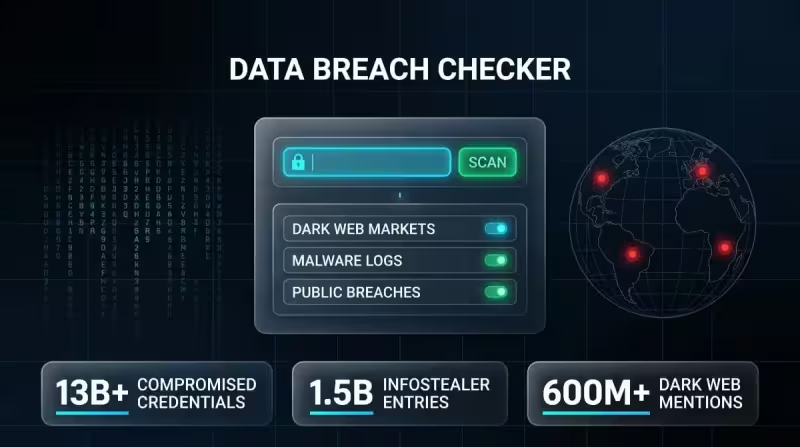
A data breach checker is a tool that looks for personal information that has appeared in known data breaches; DeXpose defines its checker as a service that scans breach databases, dark‑web sources and malware logs to determine whether an email address, phone number, username, password or Social Security number has been exposed.
Put simply: you supply one or more identifiers — typically an email address, phone number or username — and the checker cross‑references those identifiers against a database of known breach records. When the tool finds a match it reports the breach where the identifier appeared, the date of that breach and the categories of data included alongside the identifier, such as passwords or SSNs.

The mechanics are fast. According to the description, a check takes under a minute to run. That speed comes from searching compiled breach databases plus feeds from dark‑web sources and malware logs rather than probing live systems. The output is a headline‑style answer: whether the identifier appears in any captured breach, which breach it came from, when it occurred and what types of data showed up with it.
Those capabilities determine what the tool can detect. It can tell if an email address has been mentioned in data breaches, and it can check phone numbers, passwords and Social Security numbers for exposure. The example given for business users is that you can search a company name to see if it appears in an alleged Oracle Cloud breach, showing the same kind of match, timestamp and data categories when a hit exists.
Context matters: the definition is presented alongside promotional language for DeXpose services, and the reported inputs — breach databases, dark‑web sources, malware logs and public breaches — are the sources the checker uses to build exposure reports. That mix lets the tool surface exposure events that, in some cases, people were never notified about by the breached organization.
That capability is the essential friction. A breach checker can reveal exposures you didn’t know about, but the description does not explain how complete or how current its coverage of breaches and dark‑web sources is. The tool’s value depends on the breadth and freshness of the underlying datasets; without detail on how those feeds are compiled, updated or verified, a clear question remains about whether a clean result means you are safe or simply absent from the records the checker has access to.
The practical takeaway is immediate: anyone can run a check in under a minute and learn whether specific identifiers have surfaced in captured breach datasets. But running a query is not the same as a full audit of every possible leak vector — the checker reports what it finds in its sources and flags the breach, date and data types when it finds a match. For organizations, the ability to search a company name or domain can quickly surface whether that name is mentioned in a high‑profile incident such as the alleged Oracle Cloud breach.
Users should treat a rapid check as a useful, quick screen: it identifies confirmed matches in the tool’s records and gives the breach name, timing and data categories. The unanswered, most consequential question is how comprehensive and up‑to‑date those records are — that gap determines whether a clean result is reassurance or simply an absence of evidence in the checker’s current feeds.