
























Clawdbot Renamed to Moltbot as Viral “Do-Things” AI Assistant Sparks Early Security Alarm

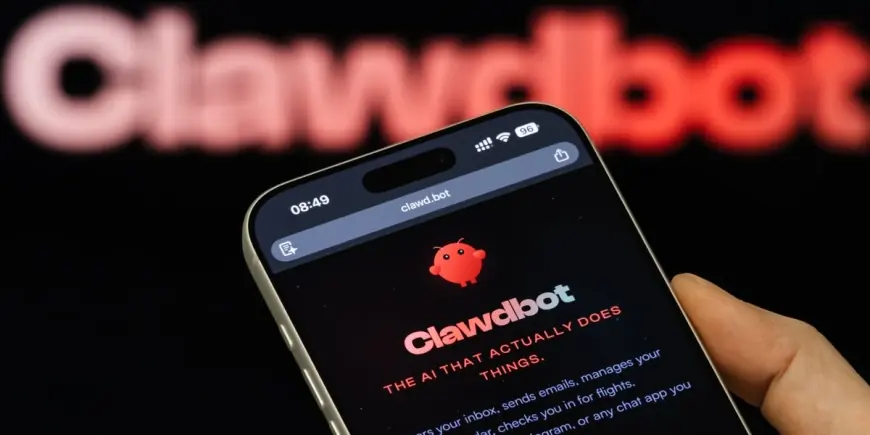
Clawdbot, the self-hosted personal AI assistant that can take real actions on a user’s computer after receiving simple chat-style instructions, is now being reintroduced to the public under a new name: Moltbot. The abrupt rebrand has turned a developer-favorite project into a broader tech-industry story about trademarks, the risks of giving AI agents deep system access, and how quickly hobbyist tools can spill into the workplace.
The naming shift comes just as interest in the assistant has exploded. The project’s core promise is straightforward: instead of only answering questions, it can open apps, manage email and calendars, manipulate files, and run commands while keeping the setup on hardware the user controls.
From Clawdbot to Moltbot, and why the rename happened
The project’s creator has said the Clawdbot name was changed after an AI company contacted the team and asked for a rename tied to trademark concerns and brand similarity. The new name, Moltbot, is meant to preserve the original lobster-themed identity while avoiding conflict.
The full details of the correspondence have not been released publicly.
For users, the most practical implication is continuity: the software’s purpose and open-source approach remain the same, but online discussions, documentation, and community support channels have begun shifting to the new name. That transition period has created predictable confusion, with many people still searching for Clawdbot even as the project’s primary identity moves to Moltbot.
Why it’s catching on: a chatbot that can actually act
Moltbot’s rise is tied to a specific moment in AI adoption: people want assistants that can complete tasks end-to-end, not just suggest steps. The tool’s “agent” framing matters here. Users set a goal in everyday language, and the assistant can plan a sequence of actions to carry it out using connected tools on the host machine.
Here’s the mechanism in plain terms. An agentic assistant typically runs a local control service that receives requests, decides which tools to use, executes those tool actions, and then checks results before continuing. That loop is what makes it feel like a proactive helper rather than a static chatbot: it can iterate until the task is done. In exchange, the agent needs permissions that ordinary chat apps do not, such as access to files, the ability to control a browser, and the authority to run system commands.
That tradeoff is also why the tool has become a lightning rod. The more “real” the actions, the more catastrophic mistakes can be if the agent misunderstands instructions, is tricked by malicious content, or is exposed to unauthorized access.
Security concerns grow as installations show up on the open internet
As Moltbot has spread, security professionals have been warning that misconfigured deployments can expose control panels and private data to the public internet. The central fear is not theoretical: if an attacker can reach an agent’s control interface, they could potentially view stored conversation history, harvest credentials, or run commands on the user’s machine.
Some specifics have not been publicly clarified, including how many exposed installations were accessed by outsiders and whether any confirmed intrusions resulted in lasting harm.
A recurring warning has focused on default or convenience configurations. If remote access is enabled without strong authentication, the assistant can become a remote-control doorway. Even when authentication is enabled, other risks remain: agents can be susceptible to prompt injection, where malicious instructions are hidden inside content the assistant is asked to read, potentially pushing it to do something unsafe while believing it is following the user’s intent.
Another issue is storage hygiene. Tools like this often keep configuration and long-term “memory” on disk so the agent can remember preferences and context. If that data is stored as readable text and the device is compromised, sensitive tokens and personal details can be exposed.
Who’s affected, and what safer use looks like
The impact lands first on two groups: power users who are installing the assistant on personal machines, and workplace security teams dealing with employees experimenting with agent tools outside formal IT approval. For individuals, the risks cluster around personal accounts, saved credentials, and accidental destructive actions. For organizations, the risks expand to unauthorized data access, policy violations, and audit gaps when an agent can touch business systems without standard oversight.
Safer use tends to look boring by design: running the agent on a dedicated machine, limiting what files and apps it can reach, restricting network exposure, and requiring explicit confirmation before high-impact actions. The goal is to reduce the blast radius if the agent makes a mistake or if a misconfiguration creates an opening.
What comes next as the project keeps moving
The next verifiable milestone is software-based: upcoming tagged releases and documentation updates will show whether the project shifts toward safer default settings and clearer hardening guidance as the audience grows. Separately, trademark and branding clarity may continue to evolve as the rename settles and community references converge on Moltbot.
In the days ahead, the story will likely be shaped less by novelty and more by discipline: whether users treat an always-on AI agent as a privileged system component that needs strict controls, or as a convenient helper that’s safe to plug into everything by default.