

























“My Verizon” guide: $20 outage credit, app steps, and what to do if your phone still shows SOS

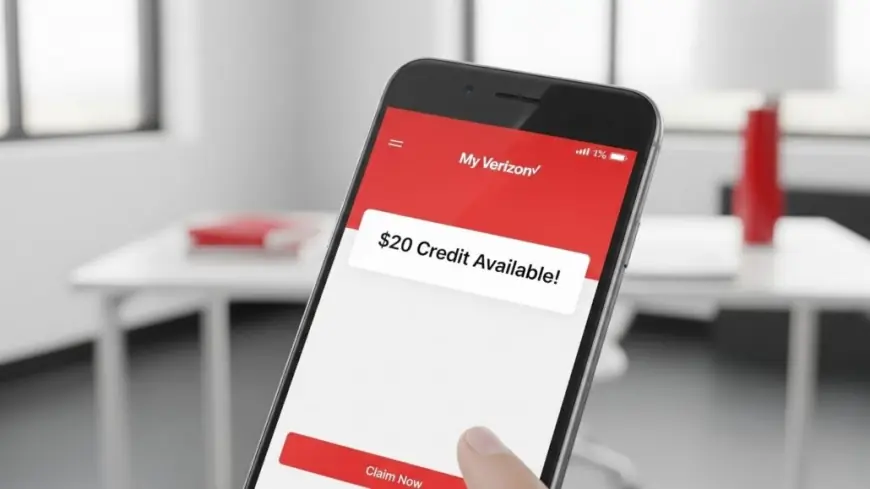
A day after a nationwide disruption on Wednesday, January 14, Verizon says service is restored and it’s offering a $20 account credit to customers who were affected. The credit isn’t automatic—you’ll need to take action in the My Verizon app once the option appears on your line.
How to claim the $20 credit in the My Verizon app
-
Open My Verizon on your phone and sign in as the account owner or manager.
-
If you’re eligible, you’ll see a banner or tile about an outage credit on the home screen or in Billing.
-
Tap the prompt and accept the one-time $20 account credit.
-
If you manage multiple lines, repeat for each eligible line if prompted.
-
Don’t see it yet? Verizon says the option may roll out over time. Watch for a text message on the affected line letting you know when it’s ready.
Tip: After you accept, the credit posts to your account and will appear on your next bill summary.
Who qualifies for the My Verizon outage credit
-
Lines that experienced voice, text, or data disruption on January 14.
-
Both consumer and many small-business wireless accounts are expected to see eligibility prompts.
-
The $20 figure is described as covering multiple days of service on average and is one time per line.
If you believe your line was affected but no option appears after the rollout, use Support → Chat in the app and reference the January 14 outage credit for manual review.
Still seeing “SOS” or no bars? Quick fixes that work
Most users reconnect automatically after restoration. If your device hasn’t:
-
Restart the phone (full power off/on).
-
Toggle Airplane Mode on for 10 seconds, then off.
-
Go to Settings → Cellular/Mobile Data → Network Selection and toggle Automatic off/on.
-
For 5G devices, switch to LTE temporarily, test, then switch back.
-
Remove/reseat the SIM (physical SIM only). For eSIM, try Reset Network Settings (this forgets Wi-Fi networks).
-
If calls fail but data works, try Wi-Fi Calling until the line fully resyncs.
If nothing changes, open My Verizon → Support → Check network status to see if your specific area is still stabilizing.
Timeline: what happened and what’s new
-
Wed, Jan 14: Widespread outage hits voice, messaging, and mobile data. Many phones show “SOS” or “SOS Only.”
-
Evening Jan 14: Service restoration progresses, with intermittent issues as systems resync.
-
Thu, Jan 15: Verizon announces a $20 account credit for impacted customers; redemption happens inside the My Verizon app and may roll out in waves. The company advises restarting devices if issues persist.
Billing notes for My Verizon users
-
Credits post as account adjustments and apply against upcoming charges or existing balances.
-
Auto Pay will factor in the credit automatically; there’s nothing extra to do.
-
If your bill cycle closed on Jan 14–15, the credit may appear on the following statement.
FAQs
Do I need to call support to get the credit?
No. The fastest route is the in-app banner or tile. If you don’t see it after rollout, use in-app chat.
Will the credit apply to every line on my account?
Only lines flagged as affected. Some accounts will see the option for multiple lines; others just one.
What if I switched carriers recently or have prepaid?
Eligibility and redemption may differ for prepaid or recently ported lines. Check the app; if nothing appears, contact support from within My Verizon.
Is there a deadline to accept?
Promotional credits usually have a limited acceptance window. When the banner appears, accept it as soon as you can.
Can businesses claim for employee lines?
Primary managers can accept the credit per eligible line in the business version of the app or portal once it appears.
My Verizon customers
If your service was disrupted on January 14, open the My Verizon app, look for the outage credit prompt, and accept it for each eligible line. If your phone still shows SOS or won’t place calls, a simple restart or quick network reset typically clears the last cobwebs after a large-scale restoration.















