





















How OmniSearch Revolutionized File Retrieval on Windows 11


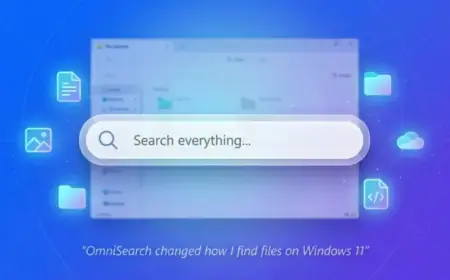
Searching for files on Windows has historically been a challenging experience. However, OmniSearch aims to change that narrative. This open-source tool is designed for Windows 11 users who are seeking a more efficient and complete file retrieval experience.
How OmniSearch Revolutionized File Retrieval on Windows 11
OmniSearch enhances file search by drastically improving speed and reliability. Utilizing low-level NTFS indexing, it operates through the USN Journal and MFT to deliver near-instant results without needing internet access. Unlike the benchmark tool, Everything, OmniSearch doesn’t just aim for quick filename retrieval; it adopts a workflow-focused approach.
Key Features of OmniSearch
- Improved User Interface: OmniSearch features a cleaner, more modern design that is easy to navigate.
- Inline Previews: Users can view file content on the fly without needing to open applications.
- Smart Autocomplete: The search function includes intelligent suggestions to expedite the search process.
- File Management Tools: Beyond searching, it allows actions like copying paths, renaming, and deleting files.
- Duplicate File Detection: Users can find and manage duplicate files to save space on their devices.
Using OmniSearch Effectively
When first using OmniSearch, its numerous options might seem daunting. However, customization is straightforward. Users can adjust indexing settings, ensuring comprehensive searches across all drives and folders. The search results appear almost immediately, allowing for a seamless experience.
Advanced Searching Options
OmniSearch supports specialized syntax for more precise searches. For example, employing commands like content: allows users to search files based on their content. Though more complex queries may take longer, they yield highly relevant results.
Finding Duplicate Files
One standout feature is its ability to detect duplicate files. Users can specify parameters like minimum file size and run a scan to identify duplicates throughout the system.
Configuration and Customization
The settings in OmniSearch offer numerous customization options. Users can configure the background operation, enable global shortcuts, and even change the application’s theme.
Installation Process
Installing OmniSearch is user-friendly. Simply download the latest version from the official GitHub page, launch the setup wizard, and follow the instructions. A version is also available in the Microsoft Store for added convenience.
Conclusion
OmniSearch presents a significant improvement over the default Windows search functionality. While it may not replace Everything for high-speed file retrieval, it offers a well-rounded tool for users looking to manage files more effectively. With its combination of fast results, integrated file management features, and emphasis on user-friendliness, OmniSearch is a worthy addition for Windows 11 users.