






















Microsoft Enables Experimental Windows 11 Features Without ViVeTool

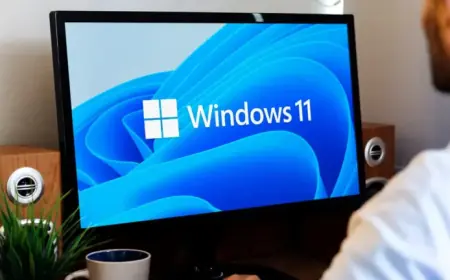
Microsoft has announced significant updates for Windows 11 testers by introducing access to experimental features without the need for external tools like ViVeTool. This initiative is part of an effort to streamline the Windows Insider Program (WIP) and make it less confusing for users.
Introduction of the Experimental Channel
The new Experimental Channel simplifies the testing process by replacing the previous Dev and Canary rings. Additionally, it works alongside the refreshed Beta Channel, making it easier for users to navigate feature testing.
Controlled Feature Rollout
Microsoft has long used a method known as Controlled Feature Rollout (CFR) to gradually introduce new features to Windows 11 users. While effective, it often led to frustration among testers who discovered they were not receiving the latest updates they were eager to try.
New Feature Flags Integration
With the new updates, Windows Insiders can now easily enable or disable specific features via a Feature Flags page located in the Settings app. Microsoft aims to provide immediate access to these features without the hassle of A/B testing that sometimes left users in the dark.
- Feature Flags will primarily focus on visible new features announced in WIP.
- Less noticeable modifications, such as bug fixes, may not appear in Feature Flags.
Alec Oot, the principal group product manager at Microsoft, acknowledged that users often joined the Insider program for new features that were difficult to access due to the ongoing A/B testing.
Feedback and Future Enhancements
Microsoft is seeking user feedback on these changes. The Experimental Channel is expected to be the best option for enthusiasts eager to test new features as they emerge, while the Beta Channel will serve as a more stable environment.
Enhanced Channel Management
Users will now find it easier to transition between testing channels or exit the Windows Insider Program altogether. Microsoft is implementing behind-the-scenes adjustments to facilitate this process. Key highlights include:
- In-place upgrades (IPU) will allow users to move seamlessly between Experimental, Beta, and Release Preview channels.
- This change means participants can leave the program without needing to reinstall Windows 11.
Furthermore, the Experimental Channel will include a Future Platforms option, offering an early preview of upcoming builds for developers and enthusiasts looking for the latest Windows 11 tests.
Conclusion
Overall, these adjustments represent a significant improvement to the Windows Insider experience. Microsoft is committed to enhancing clarity and accessibility for its testing community, ensuring that users can stay ahead with the latest innovations in Windows 11.