





















Pixel Reintroduces Lock Screen Search with Now Playing Feature

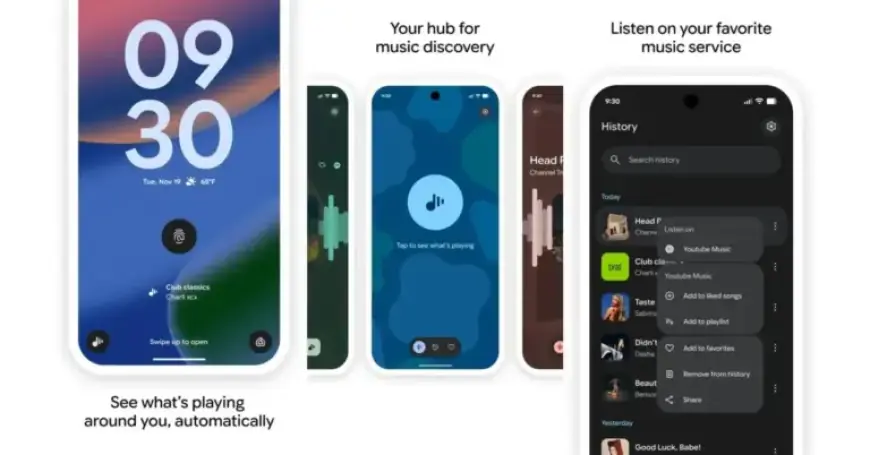
Google is enhancing the Pixel experience by reintroducing the Now Playing feature, allowing users to manually initiate song searches directly from the lock screen. This update comes as part of the redesign for the Now Playing feature, which previously limited access to song identification options.
New Lock Screen Search Functionality
The updated design includes a convenient “Tap to see what’s playing” feature positioned beneath the fingerprint icon on the lock screen. When users tap this icon, the microphone indicator activates, displaying “Identifying song…” as the system listens for music.
Upon successfully identifying a song, Now Playing presents a visually rich display that includes:
- Cover art of the song
- A heart icon for marking favorites
- Direct access to the user’s preferred music app
Update Details
This functionality is now part of the Android System Intelligence update, specifically version B.23. To access the new feature, users can follow these steps:
- Open the Settings app.
- Tap your name at the top of the screen.
- Select the All services tab.
- Navigate to Privacy & Security.
- Choose System services to update to the latest version.
This update is expected to be widely available today. Users are also encouraged to visit the Google Play Store to ensure their Now Playing app is updated.
Additional Information
For more insights and updates on Google Pixel products, please visit Filmogaz.com.