

























Easily Boost Your SSD Speed with Simple Fixes

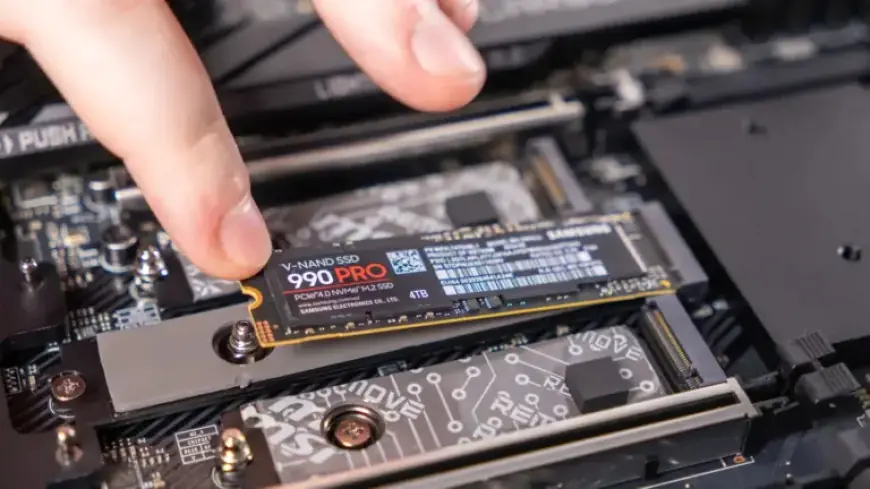
Solid-state drives (SSDs) have revolutionized data storage in computers and laptops. These drives feature no moving parts and offer exceptional read and write speeds. With the introduction of the M.2 format, SSDs have become even more efficient. Despite their high cost, SSDs are now a standard in modern desktop and laptop computers, driven by the demands of advanced software and video games.
However, SSDs can experience performance declines as they fill up with data. This reduction in speed is particularly noticeable with smaller capacity SSDs. Fortunately, modern operating systems, such as Windows, include a helpful feature called TRIM that can mitigate this issue.
Understanding TRIM and Its Benefits
TRIM is a command that enhances SSD performance by managing data efficiently. It identifies and clears blocks of data no longer in use, thereby improving the drive’s longevity and efficiency. While TRIM may resemble traditional disk defragmentation, it serves a different purpose, tailored for SSDs.
Why Use TRIM?
Unlike older hard disk drives (HDDs), SSDs store data differently. TRIM ensures that your SSD operates at optimal efficiency by maintaining clear data blocks. While Windows typically manages TRIM automatically, users can verify its status and optimize settings manually.
Checking TRIM Status on Windows
To confirm if TRIM is active on your SSD, follow these steps:
- Open PowerShell with administrator privileges.
- Type
fsutil behavior query DisableDeleteNotifyand press Enter. - If both values return zero, TRIM is enabled.
It is advisable not to disable TRIM, especially with fluctuating SSD prices and the necessity of data protection. Maintaining your SSD’s performance is crucial for safe and efficient data storage.
Conclusion
In summary, SSDs are an essential component of modern computing, and ensuring they operate effectively is vital. Utilizing the TRIM command can significantly boost your SSD’s speed and extend its lifespan. Take advantage of this feature to maintain optimal performance for your device.