

























Spotify Users Can Now Disable All Video Content

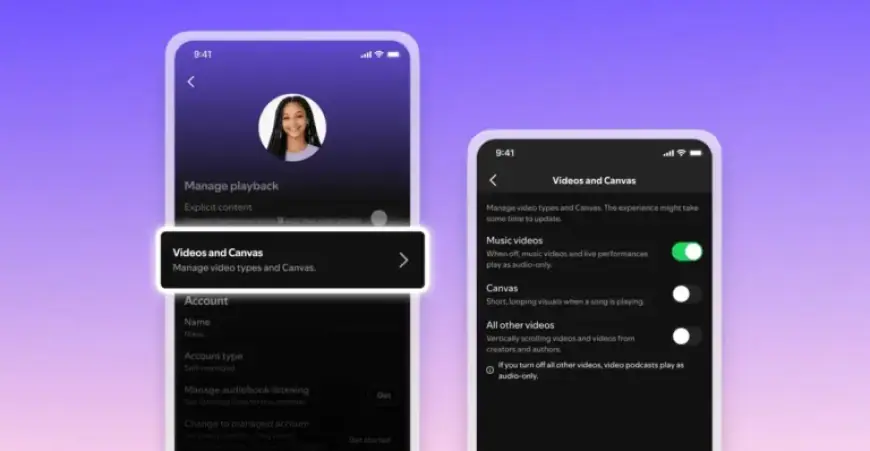
Spotify has announced the launch of new features that allow users to disable all video content within the app. This functionality applies to both music and podcast content, enhancing user control over their listening experience.
New Video Control Features on Spotify
The updated controls are being rolled out globally and will work on all devices. Notably, Family Plan managers can utilize these settings to restrict video content for every member covered by the subscription.
Availability and Settings
While some users may not yet see these features in their accounts, they are expected to appear soon. They can be accessed in the following ways:
- On mobile: Navigate to “Content and display” settings.
- On desktop: Go to the “Display” section.
Types of Video Controls
The new settings include several options:
- A toggle to disable music videos.
- A toggle to disable all other videos, including podcasts and vertical video.
- An existing toggle to disable Canvas clips, which are short, looping videos introduced in 2019.
If a Family Plan manager disables video controls at the plan level, individual users cannot switch to video versions of songs or podcasts. This feature aims to provide a more tailored experience for listeners looking to enjoy audio content without visual distractions.
Enhanced User Experience
Spotify’s initiative to allow users to disable all video content speaks to its commitment to enhancing user-centric features. These new settings aim to cater to diverse listener preferences and improve overall satisfaction.