

























Running Windows 98 on 2020’s ThinkPad P14s Gen 1 Laptop

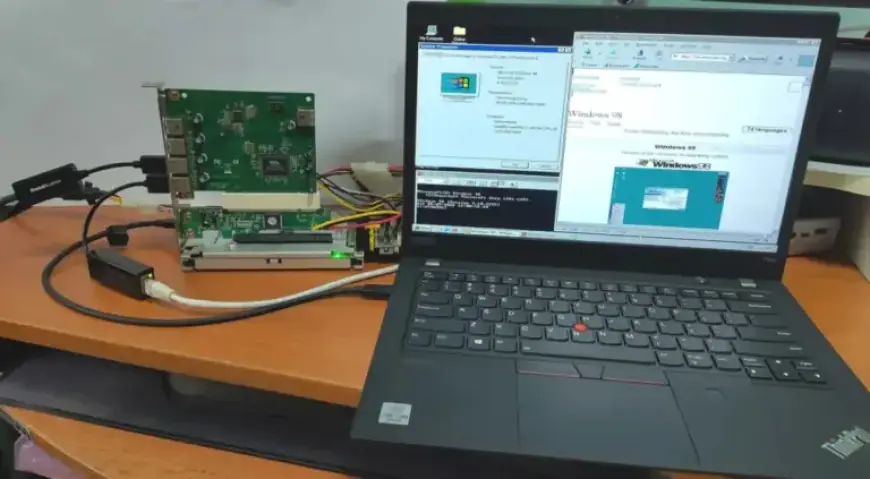
The x86 architecture’s backwards compatibility enables the use of older operating systems on contemporary hardware. In a recent demonstration, Yeo Kheng Meng successfully installed Windows 98 SE on a 2020 ThinkPad P14s Gen 1. This machine can run alongside modern operating systems like Windows 11 and Linux from the same NVMe drive.
Challenges of Running Windows 98 on Modern Laptops
Transitioning from MS-DOS 6.22 to Windows 98 SE was a logical step for Yeo, having previously run the older system on a ThinkPad X13. Key challenges encountered include UEFI settings and hardware driver compatibility.
Leveraging UEFI-CSM Mode
The ThinkPad models in use feature UEFI-CSM mode, a compatibility layer reminiscent of classical BIOS. This adjustment was essential, as traditional BIOS was not in place when Windows 98 was first launched.
Hardware Adaptations
The installation required various hardware adaptations:
- A USB 2.0 expansion card connected via a Thunderbolt dock was employed, due to Windows 98’s lack of support for USB 3.0 (xHCI).
- Secure Boot was disabled, and UEFI-CSM was enabled along with BIOS settings to accommodate Thunderbolt BIOS assist mode and disable Kernel DMA protection.
These steps, combined with using the CREGFIX DOS driver, helped address potential UEFI-CSM bugs.
Memory Limitations and Patches
Windows 98 has a default memory limitation of 512 MB. Patches developed by Rudolph Loew resolved this restriction, enhancing overall performance. Unfortunately, drivers from both Intel and NVIDIA for Windows 98 are no longer available. Therefore, graphics acceleration is limited to basic VESA support and the SoftGPU driver.
Disk Access and Power State Configuration
Disk operations rely on BIOS rather than NVMe drivers, resulting in slower access speeds. Additionally, Windows 98 does not recognize ACPI, but configuring the BIOS to support S3 power state resolved this issue.
Impact of UEFI-CSM on the x86 Ecosystem
The lack of UEFI-CSM support in modern systems limits the installation of older operating systems, including Windows 7. This situation signifies a substantial divide in the x86 ecosystem that can be traced back to the introduction of AMD64/x86_64 architecture.
Overall, running Windows 98 on a 2020 ThinkPad P14s Gen 1 exemplifies the persistent compatibility of x86 architecture, despite the hurdles presented by modern technological advancements.