

























Windows 11 KB5077181 25H2 Launches: New Features and Offline Installers Available

Windows 11 has officially rolled out the KB5077181 update, introducing significant features and enhancements to the operating system. This update serves as the second major one for the year following previous challenges experienced in January.
New Features in Windows 11 KB5077181
The KB5077181 update for Windows 11, part of the 25H2 version, adds several notable features aimed at enhancing user experience:
1. Cross-Device Resume Functionality
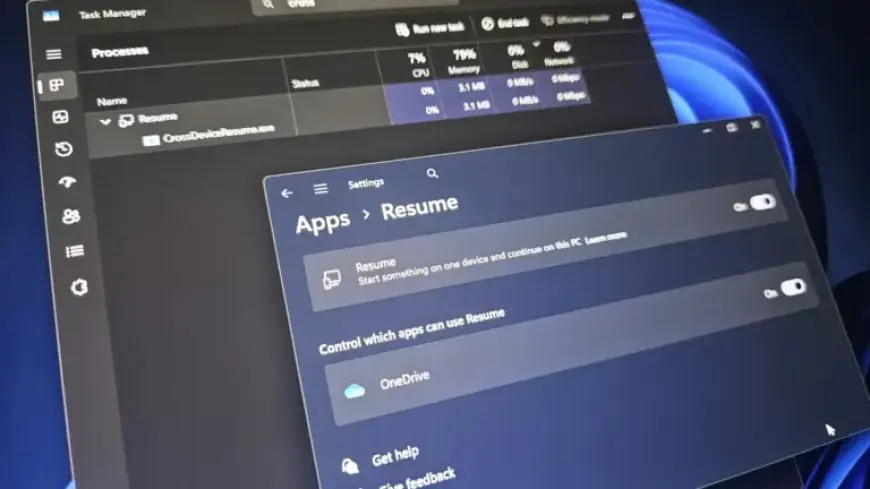
The new “Cross-Device Resume” feature allows users to continue tasks started on Android devices on their Windows 11 PCs. This capability now extends beyond OneDrive, enabling users to resume activities in applications like Spotify, Word, and Excel.
2. MIDI Services Enhancements
Improvements to the Windows MIDI Services now support both MIDI 1.0 and MIDI 2.0. This update facilitates better compatibility for music applications, allowing multiple apps to use the same MIDI device simultaneously.
3. Smart App Control Updates
Smart App Control now allows users to toggle this security feature on or off without the need for a full OS reinstallation. This provides more flexibility in managing app permissions and functionality.
4. Updated Start Menu and Battery Icons
The update brings a redesigned Start menu and colorful battery icons to the taskbar, enhancing overall accessibility and aesthetics. The Start menu now features a streamlined layout, showcasing all apps more efficiently.
5. Device Card in Settings
A new “Device Card” feature on the Settings homepage gives users a quick overview of their system specifications, such as available storage and RAM.
6. Storage Settings Access Requirements
The Storage Settings section now requires admin rights to access, providing an additional layer of security. This change restricts unauthorized users from viewing sensitive storage information.
7. Nvidia GPU Issues Fixed
The update resolves a previous issue causing black screens in PCs with Nvidia GPUs, enhancing stability for gamers and daily users alike.
Update Size and Installation Process
The total size of the KB5077181 update exceeds 4GB due to the inclusion of local AI models. Users can download the update through Windows Update or manually via the Microsoft Update Catalog.
Installation generally takes about 10 minutes at a stable internet connection, followed by a single restart to apply changes.
Direct Download Links for Offline Installers
Microsoft provides offline installers for those requiring manual updates:
- 64-bit: Download via Microsoft Update Catalog
- ARM-64: Download via Microsoft Update Catalog
Offline installers allow for flexibility, especially for users managing multiple devices, although the Windows Update method is recommended for speed and convenience.
Final Thoughts
The release of Windows 11 KB5077181 presents a promising enhancement to the operating system, bringing sophisticated features aimed at improving connectivity and user experience. As always, users are encouraged to stay updated for the latest improvements and security patches through Filmogaz.com.