

























Revitalize Your MacBook: Upgrade with an Older Processor

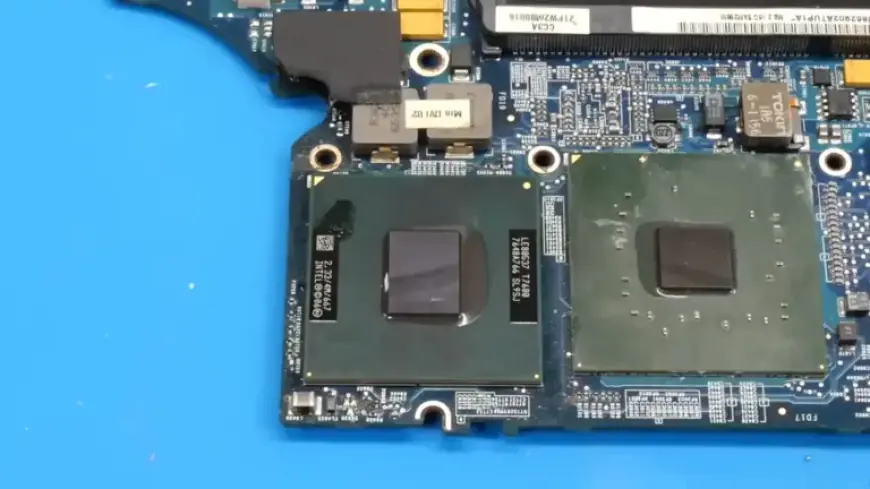
The Intel Core Duo processor played a pivotal role in popularizing multi-core technology among consumers. Though it was initially limited to 32-bit operations, the subsequent introduction of the Core 2 Duo addressed this limitation. A recent upgrade by a user known as dosdude1 demonstrates how to breathe new life into older MacBook models by replacing outdated processors.
Upgrading Your MacBook: A Step-by-Step Guide
dosdude1 successfully upgraded a MacBook Pro by swapping the original Core Duo processor for a Core 2 Duo from a disused motherboard. This process requires specialized tools and skills, but it is not unattainable for tech-savvy users.
The Upgrade Process
The upgrade involves several meticulous steps:
- Desoldering the donor processor from its original motherboard.
- Preheating the new motherboard to facilitate easier removal of the old chip.
- Cleaning and preparing the new processor with solder balls.
- Soldering the new processor onto the upgraded motherboard.
Users need to be cautious of moisture ingress issues that can complicate the process. In dosdude1’s previous attempts, this problem caused failures. However, with proper preparation, he successfully completed the upgrade.
Booting Up and Final Adjustments
Upon booting the upgraded MacBook Pro, the only initial issue encountered was the system’s failure to correctly identify the new clock speed. A simple firmware update resolved this, allowing the MacBook to function smoothly.
Why Upgrade an Older MacBook?
Though the hardware may seem obsolete, there are compelling reasons to pursue such an upgrade:
- The satisfaction of enhancing older technology.
- Older MacBooks are capable of running free and open-source firmware.
- They can be excellent platforms for Linux, despite hardware limitations.
Ultimately, revamping a MacBook with an older processor can offer both a rewarding experience and practical benefits, keeping the device functional for years to come.