

























NASA Unveils Stunning Artemis II Wallpapers

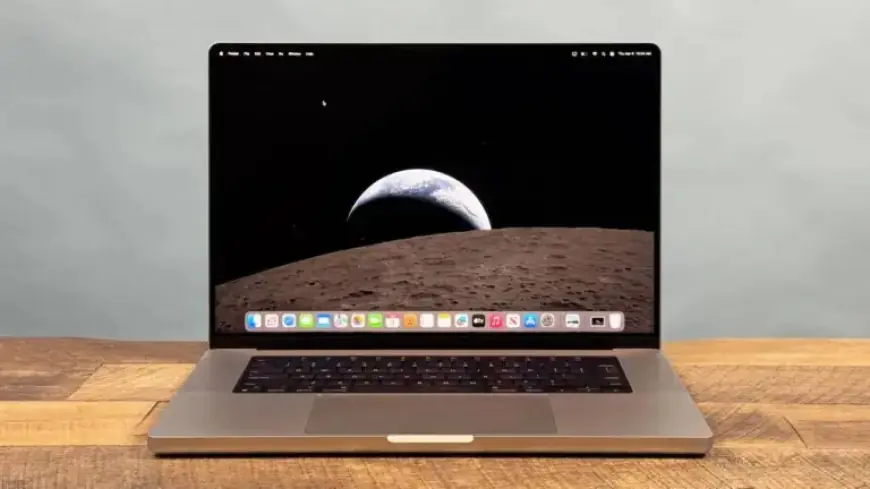
NASA has released breathtaking images from the Artemis II mission, allowing the public to enhance their digital backgrounds with real photos from space. These high-resolution images showcase Earth, the crew’s training, and the Orion spacecraft. Instead of using generic wallpapers, you can decorate your desktop with images from humanity’s significant return to the Moon.
Nasa’s Artemis II Mission: Key Highlights
The Artemis II mission marks a historic milestone as it will be the first time humans return to lunar orbit since 1972. It features a talented four-member crew:
- Reid Wiseman
- Victor Glover
- Christina Koch
- Jeremy Hansen (Canadian Space Agency)
This mission has seen the crew travel further from Earth than any humans have in over fifty years, representing a significant achievement in space exploration.
Mission Details
During this expedition, the crew will orbit the Moon aboard the Orion spacecraft. The entire journey will last approximately ten days.
How to Download and Set Artemis II Wallpapers
If you’re interested in using these striking images as your desktop background, follow these simple steps:
For Windows Users
- Visit NASA’s official Artemis II image collection to find images in various resolutions.
- Choose an image to download to your computer.
- Once downloaded, locate the image file in your Downloads folder.
- Right-click on the image and select “Set as desktop background.”
- If the image appears distorted, adjust the fit settings in the display options.
For macOS Users
- Right-click on the downloaded image and select “Set Desktop Image.”
- Navigate to System Settings, then select Wallpaper to fine-tune the image display.
Conclusion
The availability of high-resolution Artemis II wallpapers offers a unique opportunity for space enthusiasts and the general public alike. Download and showcase these remarkable images on your devices, celebrating humanity’s next steps in lunar exploration.