

























Gemini App Launches ‘Notebooks’ for Organizing Chats and Files

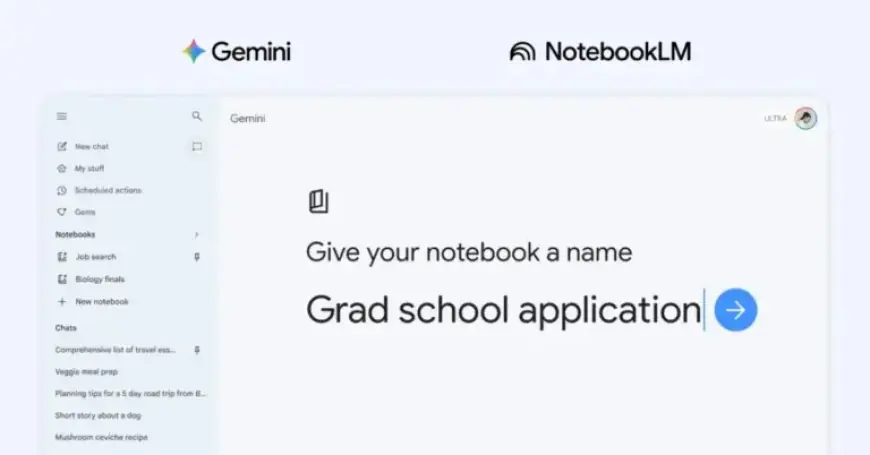
The Gemini app is enhancing its functionality with the launch of a new feature called “Notebooks.” This addition aims to bolster organization and productivity for its users.
What are Notebooks in the Gemini App?
Notebooks serve as personal knowledge bases that facilitate the organization of chats and files. This feature connects seamlessly with NotebookLM, allowing users to create efficient workflows within the Gemini environment.
Key Features of Notebooks
- A dedicated section for notebooks in the Gemini side panel.
- An “Add to notebook” option within chat conversations.
- Integration with NotebookLM for enhanced organizational capabilities.
- Options to delete and add various sources like Files, Drive, Websites, or Copied text.
- A prompt box offering questions based on organized sources.
- Shortcut access to NotebookLM from the Gemini app.
- Ability to customize how Gemini responds using notebook memory settings.
How Notebooks Enhance User Experience
By utilizing Notebooks, users can significantly improve their productivity. For instance, students can add class notes to a notebook and later request the Gemini app to draft an essay outline based on that material.
Availability
Notebooks are initially available to Google AI Plus, Pro, and Ultra subscribers on the web. The feature will expand to mobile users, additional European countries, and free users in the upcoming weeks.
The Future of Notebooks in Gemini
This launch marks the beginning of enhanced functionalities for notebooks within the Gemini app. Developers are committed to introducing more features that will augment the user experience in time.