





















Microsoft Reveals Challenges in Phasing Out Control Panel in Windows 11

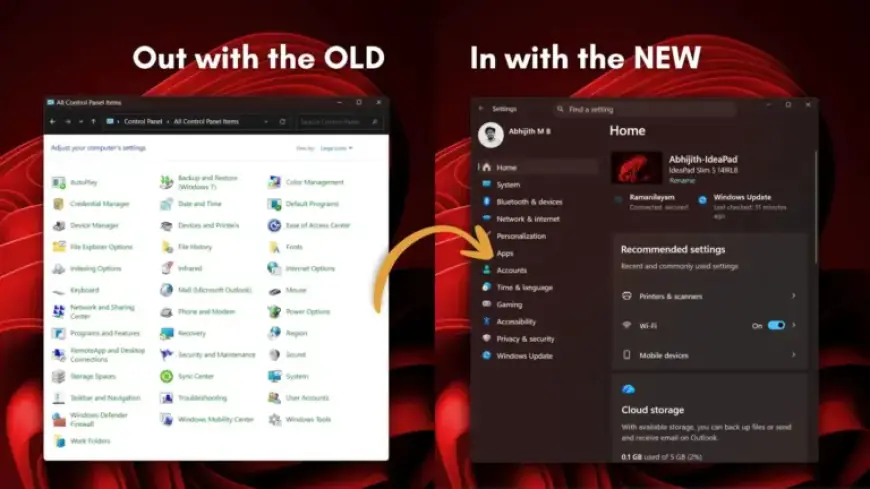
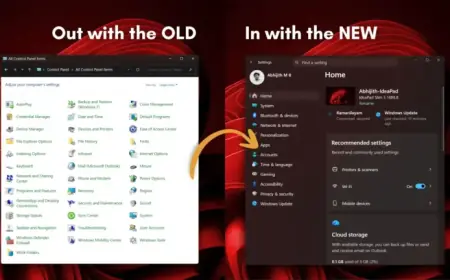
Microsoft is actively migrating all settings from the old Control Panel to the Windows 11 Settings app. However, the transition is complicated due to legacy support for older devices and drivers. March Rogers, Partner Director of Design at Microsoft, confirmed this migration process via a recent post on social media platform X.
Challenges in Phasing Out Control Panel in Windows 11
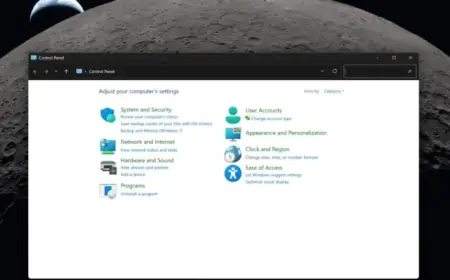
The legacy Control Panel has been a staple for over 40 years, offering extensive options to manage various computer settings. Despite its age, many users still prefer using it for certain tasks, such as managing printers and network settings.
Preserving Functionality During Transition
Rogers indicated that Microsoft’s approach to this transition is careful and methodical. The team understands the importance of minimizing disruptions to existing hardware and driver compatibility. He stated, “We’re doing it carefully because there are a lot of different network and printer devices & drivers we need to make sure we don’t break in the process.”
Limitations of the Current Settings App
Although the Settings app has been undergoing redesigns to enhance usability, certain functionalities remain better suited to the Control Panel. For example, manually adding printers often defaults back to the Control Panel.
- Network settings and printer management still have Control Panel dependencies.
- Device Manager, essential for driver management, is not fully integrated with the Settings app.
- The Settings app features a “Bluetooth & devices” page, but lacks the comprehensive options of Device Manager.
Comparative Legacy Support
With Windows maintaining support for a wide range of legacy drivers, the transition poses unique challenges. Unlike macOS, which has deprecated older drivers and hardware, Windows aims to keep older systems operational.
The careful approach reflects Microsoft’s awareness that abrupt changes can disrupt user experiences. After all, many users rely on decades-old features for device management.
Looking Ahead
As of now, no specific timeline has been provided for the complete transition of all Control Panel settings into the Windows 11 Settings app. However, users are encouraged by the gradual improvements being made to the Settings app.
In summary, while Microsoft is making strides in modernizing Windows 11, it must ensure that the functionalities that users have come to rely upon are preserved. For power users, the transition should not compromise the control they need to address complex hardware issues effectively.