






















Google Enhances Chrome with Vertical Tabs and Enhanced Reading Mode

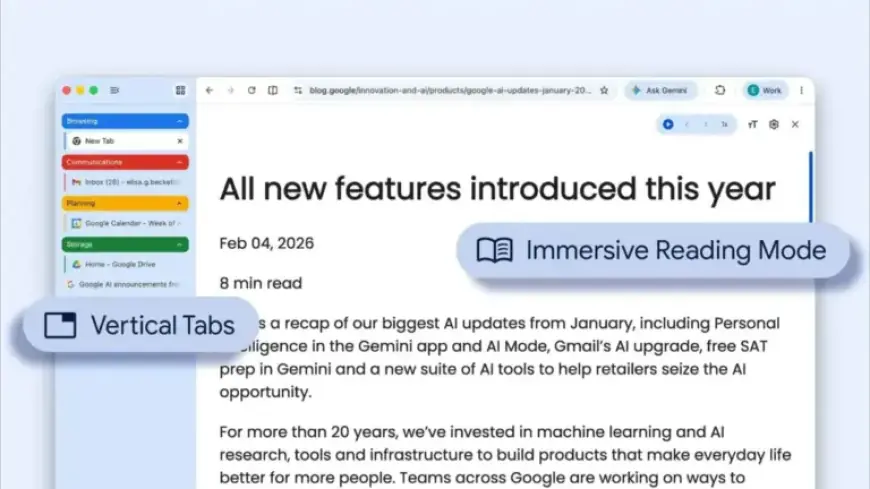
Google has upgraded its Chrome browser to include vertical tabs and an enhanced reading mode. These features are designed to improve user experience and tab management.
Vertical Tabs in Chrome
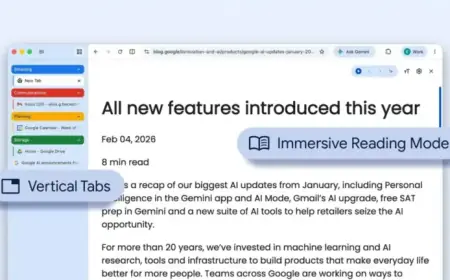
The new vertical tabs feature allows users to view their tabs in a sidebar rather than the traditional top layout. To activate this option, users simply need to right-click on any Chrome window and select “Show Tabs Vertically.”
This sidebar arrangement showcases full-page titles, enabling better organization of tab groups.
Enhanced Reading Mode
Alongside vertical tabs, Google has introduced a full-page interface for reading mode. Users can initiate this mode by right-clicking on a webpage and selecting “Open in reading mode.” This option eliminates distractions and offers a clean, focused reading experience, moving away from the default side panel view.
Availability
Both features are rolling out on the desktop version of Chrome starting today. Users should expect to have access to these updates shortly.
Summary of New Features
- Vertical Tabs: Tabs displayed in a sidebar for easier management.
- Enhanced Reading Mode: Full-page viewing mode to reduce distractions.
The integration of these features aims to optimize browsing and reading experiences for Chrome users across the globe.