























Google Chrome Launches Vertical Tabs and Fullscreen Reading Mode

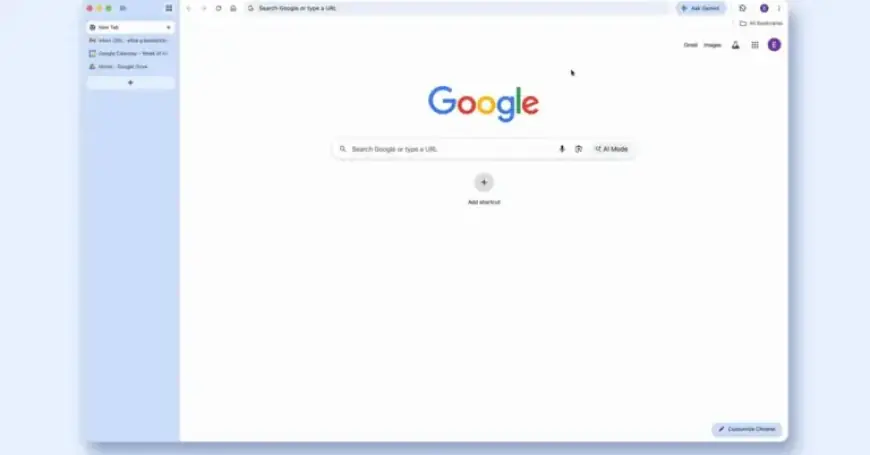
Google has unveiled two significant updates for its desktop Chrome browser: vertical tabs and immersive reading mode. These enhancements aim to improve user experience by optimizing tab management and reading functionality.
Introduction of Vertical Tabs in Google Chrome
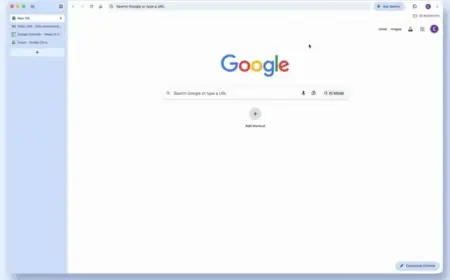
The new vertical tabs function replaces the longstanding horizontal tab strip. Users can now find their open tabs listed on the left side of the screen. This change allows for better readability of full tab titles, even when numerous tabs are open.
Vertical tabs facilitate enhanced organization, especially for users who rely on Tab Groups. Chrome users can also minimize these vertical tabs to display only a column of favicons, further improving visual space and usability.
- Access vertical tabs by right-clicking the top of any Chrome window.
- Select the “Show Tabs Vertically” option.
- Switching back to the traditional layout is simple and user-friendly.
Immersive Reading Mode for Enhanced Focus
In addition to vertical tabs, Google has introduced an immersive reading mode. This feature transforms a busy webpage into a full-page interface, promoting a distraction-free reading environment.
To enter reading mode, simply right-click on any page and select “Open in reading mode” or click “Reading Mode” in the address bar. This mode includes options for text-to-speech and view customization, enabling users to tailor their reading experience.
Feature Rollout and Availability
Both vertical tabs and immersive reading mode features are being rolled out to users starting today. These improvements signify Google’s commitment to enhancing productivity and convenience in its widely-used browser.
For more insights on Chrome’s latest updates and features, visit Filmogaz.com.