

























Windows 11 Alerts Users on Secure Boot Certificate Issues

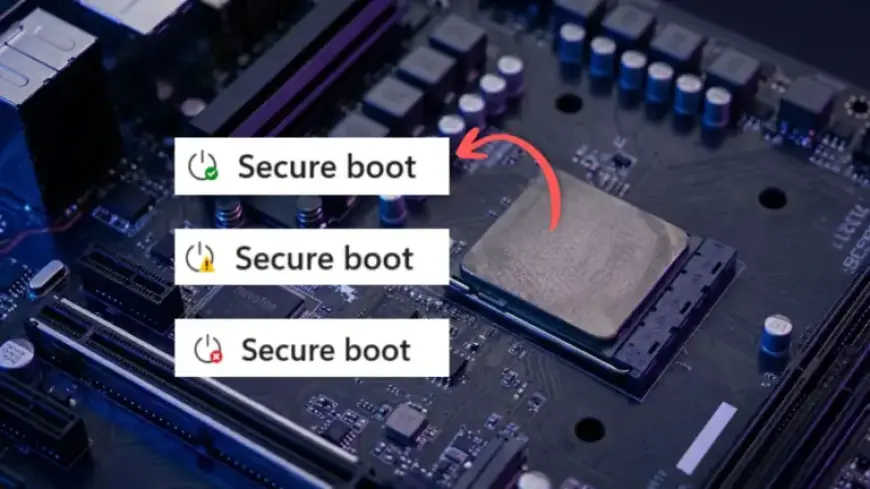
Microsoft is enhancing the Windows Security app to improve user awareness about Secure Boot certificate issues. This update aims to provide clearer insights into the boot security status of devices, especially as the expiration date for older certificates approaches in 2026.
Understanding the Secure Boot Update Alerts
The update introduces a feature within the Windows Security app where users can view the status of their Secure Boot certificates. This change will be especially beneficial as the older certificates, first issued in 2011, near expiration.
Key Features of the Update
- Certificate Status Visibility: Users can see if their PC has received updated 2023 certificates, is still using older ones, or needs further action.
- Status Indicators: Three visual indicators represent the current certificate state:
- Green: Everything is up to date.
- Yellow: There are limitations or recommendations to consider.
- Red: Action is required.
Timeline for Rollout
The rollout begins in April 2026, with users first seeing the Secure Boot status in their app. Improvements will continue into May 2026, when Microsoft will enhance notifications and provide clearer guidance for users regarding their Secure Boot status.
Navigating Secure Boot Certificate Issues
Users may encounter various situations based on their Secure Boot certificate status:
- Green Status: All Secure Boot certificates are updated, and no action is needed.
- Yellow Status: Indicates limitations, often due to older certificates. Typically, updates are expected to occur automatically.
- Red Status: Suggests that the device cannot receive necessary updates, which could lead to significant security vulnerabilities as the expiration date approaches.
Recommended Actions
If the status indicates older configurations:
- Install the latest Windows updates and restart the device.
- If updates are paused, Microsoft will resume once compatibility issues are resolved.
- For hardware limitations, contacting the device manufacturer may be necessary.
Implications for Enterprise Users
The update affects Windows Home and Pro users directly, while enterprise devices have a different management process. For enterprise environments, Secure Boot certificate indicators are disabled by default.
Admin Controls and Visibility
IT admins can enable Secure Boot status visibility via registry policies. This allows the same alert system utilized in consumer devices, empowering organizations to manage their Secure Boot status effectively.
Conclusion
As Microsoft prepares users for the 2026 Secure Boot certificate expiration, awareness and proactive management become essential. The updated Windows Security app will greatly assist users in understanding their device’s security posture. Regular updates and monitoring will ensure systems stay compliant and secure.