

























Essential App Transforms New Windows PC into a Personalized Experience

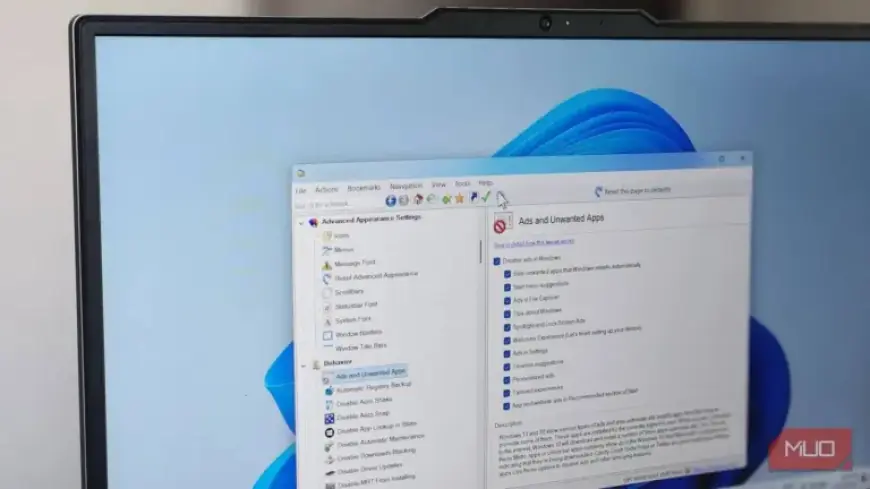
Setting up a new Windows PC can feel like a refreshing experience. The clean interface and speedy startup provide an illusion of simplicity. However, users often encounter limitations when customizing their new system. Thankfully, tools like Winaero Tweaker emerge as essential applications to enhance personalization.
Winaero Tweaker: Transforming Your Windows Experience
In an age where personalization is key, Winaero Tweaker stands out as a powerful utility. Developed by Sergey Tkachenko, this free application allows users to tailor their Windows experience beyond the default options offered by Microsoft. Whether it’s tweaking system behavior or unlocking hidden settings, Winaero Tweaker makes your PC feel uniquely yours.
Key Features of Winaero Tweaker
- Access Hidden Settings: Discover hundreds of customization options that Microsoft has hidden.
- User-Friendly Interface: Navigate through well-organized categories such as Windows 11, Appearance, and Privacy.
- Quick Fixes: Restore the classic context menu with a single toggle, eliminating unnecessary steps.
- Visual Customizations: Adjust themes, accent colors, and even restore the nostalgic Windows startup sound.
- Legacy Apps: Reactivate faster, older versions of essential apps like Windows Photo Viewer.
- Privacy Control: Enhance system privacy by disabling ads, telemetry, and suggested apps effortlessly.
Restoring Familiar Functionality
One of the first customizations many users seek is restoring the traditional right-click menu. Winaero Tweaker simplifies this process, allowing users to avoid the convoluted methods typically required. Additional tweaks include enhancing taskbar functionality and removing unnecessary features like Windows Copilot.
Personalizing for Efficiency
Winaero Tweaker enables users to build a workflow tailored to their needs. By adding options such as “Create System Restore Point” directly to the desktop menu, tasks become more efficient. Frequent operations like checking environment variables or accessing Task Manager are made instant and hassle-free.
Performance and Privacy Enhancements
Users can perform a comprehensive privacy and performance sweep with Winaero Tweaker. By navigating through the Behavior and Privacy sections, unwanted advertisements and telemetry features can be turned off with ease. This process not only enhances performance but also improves the overall responsiveness of the system.
A Lightweight Solution
One of the most appealing aspects of Winaero Tweaker is its lightweight design. It requires no installation, runs directly from the downloaded file, and poses minimal risk to the system. Users can apply changes incrementally, ensuring that any potential problems are easy to troubleshoot. Moreover, the option to reset all changes provides peace of mind.
Conclusion: Tailor Your Windows PC
A new Windows installation sets the stage for personalization. However, to truly make the system your own, utilizing essential apps like Winaero Tweaker is crucial. With just a few minutes of exploration, users can regain control over their Windows experience, making their computer feel distinctly personal rather than just a default setup from Microsoft.