

























Verify Windows 11’s New 2023 Secure Boot Certificates Installation

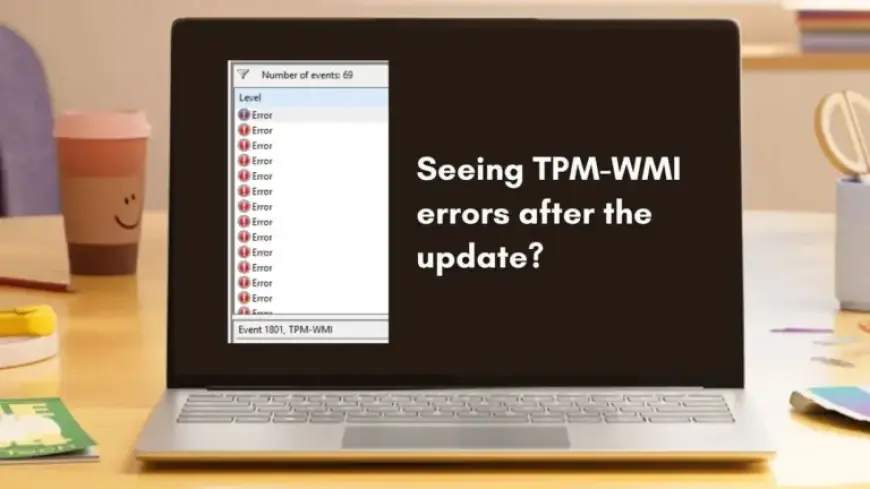
Recent reports suggest that Windows 11 users are encountering new errors regarding Secure Boot certificates, especially after the February 2026 Patch Tuesday update. This situation has led many to observe TPM-WMI errors logged in Event Viewer, specifically Event ID 1801. However, there is no need for concern.
Understanding the Secure Boot Certificate Update
Microsoft is currently refreshing Secure Boot certificates that have been in use since 2011. As these older keys near the end of their lifecycle, the transition to a new certificate authority, known as Windows UEFI CA 2023, is essential for maintaining system security.
Secure Boot is crucial for safeguarding computers during startup. It ensures that only trusted firmware, bootloaders, and system components load before the operating system starts up. If these certificates become expired or untrusted, Secure Boot loses its effectiveness.
The February 2026 Windows 11 Update
This crucial certificate refresh was included in the February 2026 Windows 11 update (KB5077181). The rollout process is phased and device-specific, relying on telemetry and confidence assessments to determine when to apply the new Secure Boot keys to the system firmware.
- Event Viewer may display logs indicating “updated certificates available” or “under observation.”
- These messages are not indicative of errors but rather informative status updates.
Many devices will remain in this transitional state temporarily as Windows prepares to implement these changes safely. This involves a two-step process:
- The new Secure Boot certificate becomes available to the operating system.
- That certificate is then applied to the system firmware.
During this process, Event Viewer might log messages about updated Secure Boot certificates being available but not yet applied. The “Under Observation” status refers to Microsoft gathering more data on the reliability of your device updates before proceeding.
How to Verify Installation of the New Secure Boot Certificate
To check if the new Windows UEFI CA 2023 certificate is present, follow these steps:
Using PowerShell
- Open PowerShell as an administrator.
- Enter the following command:
[System.Text.Encoding]::ASCII.GetString((Get-SecureBootUEFI db).bytes) -match 'Windows UEFI CA 2023'
- If the result is True, the certificate is already in your Secure Boot database.
- If False, your system is still waiting for its update; this is normal and requires no action.
Checking Event Viewer Logs
If you want to ensure the update is reflected in Event Viewer:
- Open Event Viewer from the Start menu.
- Navigate to Windows Logs > System.
- Select Filter Current Log and check the box for TPM-WMI in the Event sources dropdown.
- Look for Event ID 1808 to confirm the certificate was successfully applied.
- Event ID 1034 indicates that the DBX (revocation list) update was processed successfully.
Do You Need a BIOS Update?
It is important to note that a BIOS update is not immediately necessary. Microsoft does not push firmware changes directly. Updating BIOS and UEFI firmware is managed by your device manufacturer.
Failing to coordinate firmware updates can render your PC unbootable. Therefore, it is advised to only update your BIOS if:
- Your manufacturer instructs you to do so.
- Secure Boot certificate changes are mentioned in the documentation.
- You are well-versed in handling firmware updates.
Exercising caution with firmware changes ensures system integrity and functionality. Avoid any unconventional methods like clearing Secure Boot keys or enabling Setup Mode, as these can expose your system to security risks.
As Microsoft updates its Secure Boot certificates, this process not only improves security but also exemplifies a broader initiative to fortify Windows against vulnerabilities.