

























Android Introduces ‘Failed Authentication Lock’ Feature

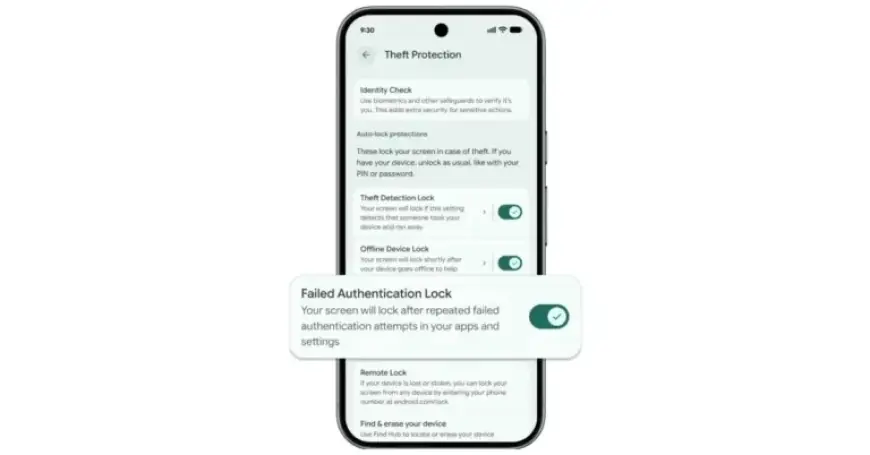
Google has announced significant updates to its Android device theft protection features, focusing on stronger authentication methods and improved recovery tools. One of the standout additions is the “Failed Authentication Lock,” which secures devices after multiple unsuccessful login attempts.
Failed Authentication Lock Feature
This feature locks the screen after repeated failed authentication attempts in apps and settings. While it was introduced last year, Google has now added a dedicated toggle to enable or disable this functionality. It can be accessed on Pixel devices through:
- Settings
- Security & Privacy
- Device Unlock
- Theft Protection
Lockout Time Enhancements
In addition to the Failed Authentication Lock, Google is increasing the lockout time following failed PIN, pattern, or password attempts. This change makes it more difficult for potential thieves to guess a device’s lock screen. Notably, Android will not count identical incorrect guesses towards the retry limit, preventing accidental lockouts.
For instance, if an attacker spends 15 minutes attempting to access your Pixel, they now have only seven guesses instead of 36. The system implements faster lockout delays, significantly enhancing security.
Expanded Identity Check
Android 16+ also introduces an expanded Identity Check feature. This functionality prompts users for biometric verification when performing sensitive actions outside trusted locations. It applies to all features and apps that utilize the Android Biometric Prompt, including Google Password Manager and various banking applications.
Remote Lock Options
For devices running Android 10 and above, the website android.com/lock now offers an option to set a security question prior to remotely locking a lost or stolen device. This measure ensures that only the legitimate owner can initiate a remote lock.
Theft Detection Lock and Remote Lock Features
Google’s Theft Detection Lock uses on-device AI to detect motion and context that may indicate a theft attempt. If suspicious activity is detected, it automatically locks the device, thereby safeguarding user data.
Moreover, the Remote Lock feature enables users to lock their device from any web-capable device without requiring prior activation. This is particularly beneficial in emergencies.
Default Features in New Android Devices
For new Android devices activated in Brazil, Theft Detection Lock and Remote Lock are enabled by default, ensuring immediate protection against potential theft.
These enhancements reflect Google’s commitment to improving user security on Android devices, providing robust protection against unauthorized access.