























Discover 4 Hidden Features of Your Phone’s Volume Buttons


Your smartphone’s volume buttons offer more than just sound control. These hidden features can enhance your device’s functionality and privacy, making them valuable tools for everyday use. Here, we explore four remarkable uses for your phone’s volume buttons that you might not know about.
Take Photos and Videos
Using the volume buttons as a camera shutter is a handy trick. On both Android and iPhone devices, you can simply press either volume button to capture a photo once the camera app is open. This feature is particularly useful for selfies or one-handed shots.
For video recording, a long press on the volume button inside the Camera app will start the recording. However, some Android models might need adjustments. If this feature doesn’t work, access the Camera settings and enable “Press Volume Buttons To,” allowing you to customize their function.
Force Restart Your Phone
When your smartphone becomes unresponsive, the volume buttons can help reset it. The method varies between devices. For iPhones 8 and newer, quickly press and release the volume up button, then the volume down, followed by pressing and holding the side button until the Apple logo appears. This simple sequence can revive a frozen phone.
Android users may follow different steps based on the manufacturer. For example, on Samsung devices, press and hold both the power and volume down buttons for seven seconds until the Android logo appears. This procedure typically ensures that your data remains intact while restarting your device.
Disabling Face ID
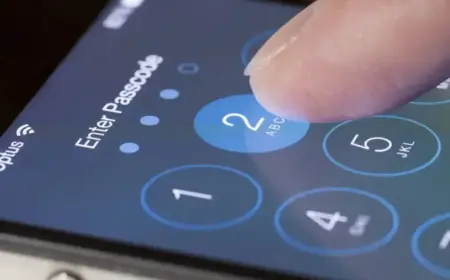
In scenarios where you want to lock your phone without relying on Face ID or Touch ID, there’s a discreet method. By pressing the volume up and side button simultaneously, you can disable Face ID temporarily. After a brief vibration, press the side button again to lock your device. This method enhances your security without accessing settings visibly.
Remember to ensure other security measures are activated, such as restricting access to the Control Center or notifications while your phone is locked.
Customizing Volume Buttons with Shortcuts
Android users enjoy greater flexibility in customizing their volume buttons. Using applications like Button Mapper, you can assign various actions to different button presses. For example, double or long-pressing the volume buttons can launch the flashlight, favorite apps, or initiate screen recording, even when the screen is off.
The app offers both free and premium options. The premium version provides additional functionalities like simulating key codes and customizing haptic feedback. Button Mapper is available on the Google Play Store and can enhance your smartphone experience significantly.
In conclusion, your phone’s volume buttons are versatile tools. From capturing photos to customizing shortcuts, unlocking their potential can lead to a more efficient smartphone experience.