
























Discover 8 Key Enhancements in Windows 11’s April Update You Can’t Miss

The upcoming April 2026 Security Update for Windows 11 is set to launch on April 14, 2026. This cumulative update will introduce a series of enhancements aimed at improving user experience, security, and system performance. Users can expect updates to several features in both Windows 11 versions 25H2 and 24H2. Below, we explore the eight key enhancements included in this update.
Key Enhancements in Windows 11’s April 2026 Update
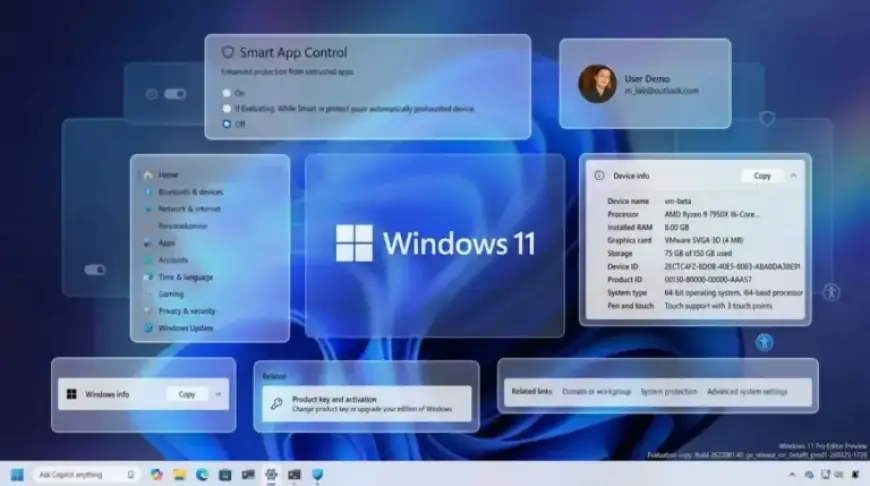
- Smart App Control Updates: The update eliminates the need for OS reinstallation to manage the Smart App Control (SAC). Users can now enable or disable SAC directly from the Windows Security app.
- Windows Narrator Improvements: The Narrator feature now offers image descriptions without needing a local AI model. Users can easily access this functionality via keyboard shortcuts.
- Settings Home Page Refinements: The Settings app has received minor updates, improving loading performance and making device information clearer.
- About Page Updates: The About page will return to displaying top hardware specifications. This includes detailed graphics and storage information for easier access.
- Accounts Section Enhancements: Users with a Microsoft 365 Family plan will see an updated option for account upgrades. Settings can be adjusted to disable suggested content.
- Pen Settings Changes: New updates will allow users to configure pen settings to work similarly to the Copilot key.
- File Explorer Accessibility Features: Users can now employ Voice Typing to rename files. The update also fixes bugs related to launching new tabs and applications.
- Display Refresh Rate Support: The system is now capable of recognizing displays with refresh rates of 1000Hz or higher. Additionally, auto-rotation and HDR performance enhancements have been implemented.
Overall Impact of the Update
This April 2026 update may not introduce groundbreaking features, but its focus on security and usability improvements makes it valuable. Each enhanced function aims to create a smoother Windows experience. By prioritizing the reliability and security of everyday tasks, Microsoft continues to refine Windows 11 gradually.
The April update shows Microsoft’s commitment to delivering thoughtful improvements that enhance system performance. This approach may lead to a more stable and polished operating system, satisfying user expectations over time.
For further insights into Windows operating systems, please visit Filmogaz.com for in-depth guides and tips.