
















Samsung Messages Discontinued: Easy Guide to Switch Apps

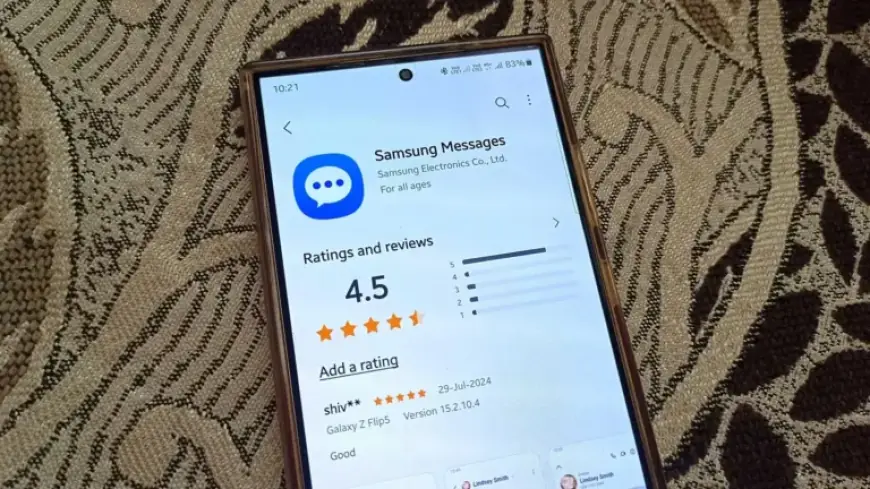
Samsung has officially announced the discontinuation of its Samsung Messages app in the U.S., marking a significant shift in its messaging strategy. This change follows the trend that began with the launch of the Galaxy S21 series, which made Google Messages the default messaging app for Samsung devices.
Samsung’s Messaging Evolution
Starting from the Galaxy S25 series, Samsung has stopped pre-installing Samsung Messages. Instead, it is encouraging users to adopt Google Messages as the primary messaging platform. This strategic decision aims to streamline messaging experiences across devices.
Reasons Behind the Shift
Samsung’s move entails several advantages:
- Standardization: By shifting to Google Messages, Samsung is aligning with a widely used messaging standard.
- Enhanced RCS Support: Google provides stronger support for Rich Communication Services (RCS), which improves messaging features.
- Cross-Device Consistency: Users will enjoy a consistent experience across different devices.
- Faster Updates: Google’s platform ensures quicker access to new features and improvements.
Due to these factors, Samsung Messages may be officially discontinued by July 2026. However, it will still be functional on older devices that run Android 11 or earlier.
Impact on Older Devices
For users with legacy Samsung hardware, particularly devices running Tizen OS like earlier Galaxy Watches, the switch to Google Messages may present some challenges:
- RCS message threads may break temporarily if users do not switch together.
- Older Galaxy devices may experience interruptions in ongoing RCS conversations.
- While texting will remain functional, users may lose their complete message history.
How to Transition Smoothly
Switching from Samsung Messages to Google Messages is straightforward. Follow these steps:
- Download and open Google Messages.
- Tap “Set default SMS app”.
- Select Google Messages and confirm your choice.
If you are using Android 12 or 13, you will also need to manually add Google Messages to your home screen after removing Samsung Messages from your dock.
Conclusion
The era of Samsung Messages is coming to a close as Samsung fully embraces Google’s messaging platform. This shift signifies a deeper integration of One UI with Google’s ecosystem, aiming to enhance user experience across the board. For users accustomed to Samsung Messages, transitioning might involve some initial friction, but the long-term benefits of moving to Google Messages are poised to outweigh the inconveniences.