























Apple’s turn to touch: why OLED MacBook Pros with a Dynamic Island change the Mac interface

Why this matters now: Apple is moving from concept to practical interface changes by pairing OLED touch displays with a Dynamic Island-style element and a refreshed UI that can adapt for touch or pointer input. That combination — the first touchscreen Mac design coupled with menus that expand around a finger — could shift how people use laptops, how developers design toolbars, and what to expect from future laptop ergonomics.
Apple’s pivot explained: the technical triggers and the product shift
The core shift here is not merely adding touch to a Mac screen; it's an integrated push to make the interface itself flexible. The new laptops are said to use OLED panels that accept touch input while retaining full-size keyboards and trackpads, signaling a hybrid approach where touch is optional rather than mandatory. The machines are positioned as the first Macs to include touch capability, reversing a long-standing stance on touch in laptop form factors.
What’s easy to miss is that the physical keyboard and large trackpad remain central—this is designed as a blended model, not an iPad-style replacement.
Design and interface highlights (what’s indicated so far)
Details described so far point to specific surface and UI changes rather than a wholesale reimagining of the Mac. Here’s a concise breakdown of the key elements highlighted:
- Screen options: 14-inch and 16-inch OLED models are the focus for the touchscreen rollout.
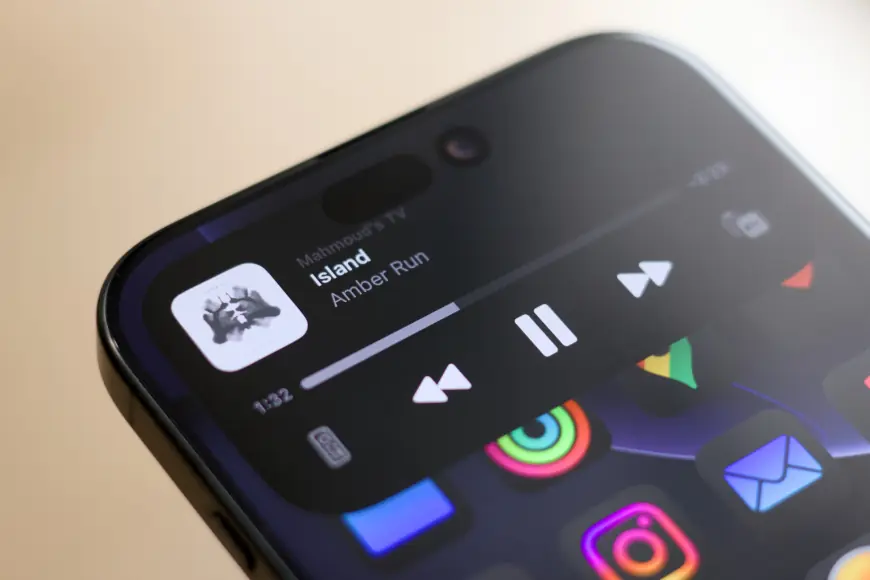
- Dynamic Island: a smaller Dynamic Island-like element will sit around a hole-punch camera cutout, showing active tasks, alerts, timers and other status items.
- Adaptive UI: the user interface can shift between touch-optimized controls and pointer-optimized layouts; touch selections will expand menus around a finger for easier tapping.
- Preserved inputs: a large keyboard and trackpad remain; users can continue to work without touching the display.
- Touch gestures: standard touch interactions such as fast-scrolling and pinch-to-zoom are expected to be supported.
- Biometrics: Face ID may not be present at launch, leaving authentication behavior uncertain.
- Design tweaks: rumors point to a thinner body and other refinements, but details remain limited.
Timing is unsettled: one line of coverage places availability closer to the end of 2026, while other mention sets a fall launch window; those timelines have not converged and may evolve.
How the change could ripple through apps and workflows
Here’s the part that matters for users and developers: a dynamic UI that genuinely prefers both touch and pointer demands new interface patterns. If the touch menus that spring up around a finger appear as described, common toolbar and menu designs will need alternatives that remain usable with a cursor but become more finger-friendly when tapped.
- Who feels the impact first: creative and productivity app users who rely on fast, tactile controls, and developers who must update interface elements for dual input modes.
- Short confirmation signals to watch for: developer previews, official spec sheets that show touch APIs or UI guidance, and release or shipping announcements that lock down timing and hardware details.
It’s easy to overlook, but the hybrid approach—keeping a full keyboard and trackpad while adding touch—points to cautious adoption: the company appears intent on preserving current workflows while offering optional touch enhancements.
Micro timeline (verifiable notes):
- 2023: earlier coverage indicated the company was considering touchscreen Macs.
- Current: new 14- and 16-inch OLED MacBook designs are described as including touch, Dynamic Island, and an adaptive UI.
- Timing: estimates diverge between a fall launch and availability closer to the end of 2026; details may evolve.
The real question now is whether developers and peripheral makers will move quickly enough to exploit the hybrid UI model when these machines arrive, and whether users will adopt touch as a regular part of laptop workflows or keep it as an occasional convenience.