

























Avoid Buying a Steam Machine: Even Old PCs Outperform

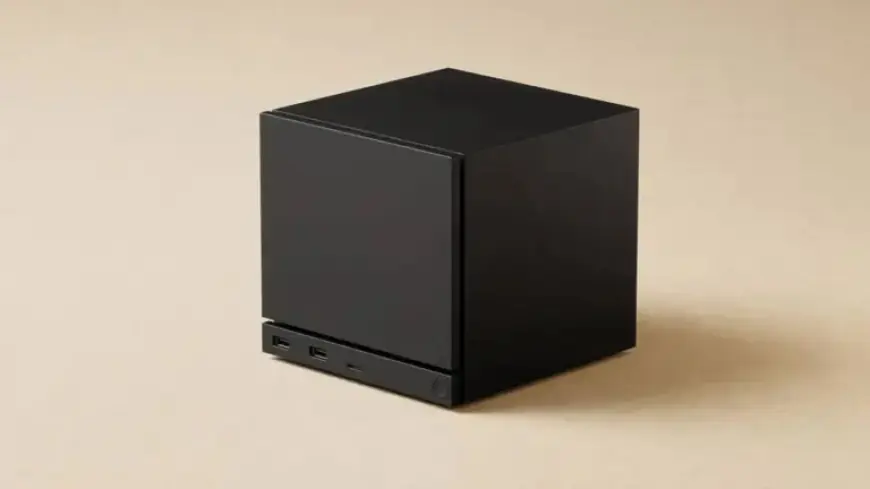
The anticipation for the impending Steam Machine revival in 2026 is notable. Valve aims to deliver an optimized “console-like” experience, allowing users to easily transition between PC gaming and living room comfort. However, uncertainties regarding its launch, pricing, and software continue to loom large, particularly due to the ongoing AI expansion and a RAM shortage that is affecting PC hardware enthusiasts this year.
Avoid Buying a Steam Machine: Your Existing PC Can Outperform It
Before making a purchase, consider the capabilities of your current PC. Users with graphics cards such as the NVIDIA RTX 2070 or AMD RX 6600 already have significant power that can compete with a Steam Machine.
Software, Not Hardware, Makes the Difference
The real advantage lies in software optimization rather than just hardware specifications. If you own a gaming PC and are keen to enhance performance, you can optimize Windows settings to improve gaming capabilities significantly.
Steps for Optimizing Your Windows PC
- Start by eliminating unnecessary background processes. A standard Windows 11 installation can run over 150 processes that affect performance.
- Use optimization tools like Chris Titus Tech’s Windows Utility or W11Debloat to streamline operations.
- Disable the Xbox Game Bar if not in use, and adjust your power plan to High Performance.
- Consider additional software like BleachBit to manage storage and resources effectively.
Maximize Your Existing Hardware for a Steam Machine Experience
If you own an AMD GPU, particularly from the RX 6000 series, running SteamOS can align your system more closely with the desired Steam Machine experience. SteamOS is optimized for AMD architecture, providing smoother game performance and handling shader management efficiently.
Installing SteamOS or Alternatives
Install HoloISO or Steam Fork to replicate the Steam Deck interface on your desktop. With SteamOS managing heavy processes, you can transform your PC into a streamlined gaming machine that boots directly into the Big Picture mode.
For NVIDIA users, options like Bazzite offer ways to access a similar experience by using tailored drivers and a unique game mode that mimics Steam Deck’s capabilities. This route allows you to harness the power of higher-end NVIDIA GPUs, like the RTX 2070, without the constraints of Steam Machine hardware.
Consider CPU Upgrades to Enhance Performance
While graphics capabilities are essential, a balanced CPU is crucial to avoid bottlenecks. Upgrading to a Ryzen 5 5600X or Ryzen 7 5700X can significantly improve performance without requiring a complete hardware overhaul.
Intel users can also benefit from upgrading to a newer 6- or 8-core CPU, leading to better frame rates and reduced stutter in gameplay. A modest investment in CPU performance may yield considerable gains in your existing setup.
Spec Comparison: Existing Hardware vs. Steam Machine
| Specification | Steam Machine | Average Aging High-End PC |
|---|---|---|
| CPU | AMD 6-core Zen 4, up to 4.8 GHz | Ryzen 5 5600X / Intel 6-core |
| GPU | AMD RDNA3 | NVIDIA RTX 2070 / AMD RX 6600 |
| Memory | 16GB DDR5 | 16GB DDR4/DDR5 |
| Storage | 512GB – 2TB | PCIe 3.0 NVMe |
In conclusion, the upcoming Steam Machine may sound appealing, but optimizing and upgrading your current system can yield superior results. Existing PCs from 2020 and earlier are far from obsolete when properly configured. Instead of investing in new hardware, maximizing your current setup can provide a more rewarding gaming experience.