

























Google Resolves Major Android Driving Mode Annoyance Quietly

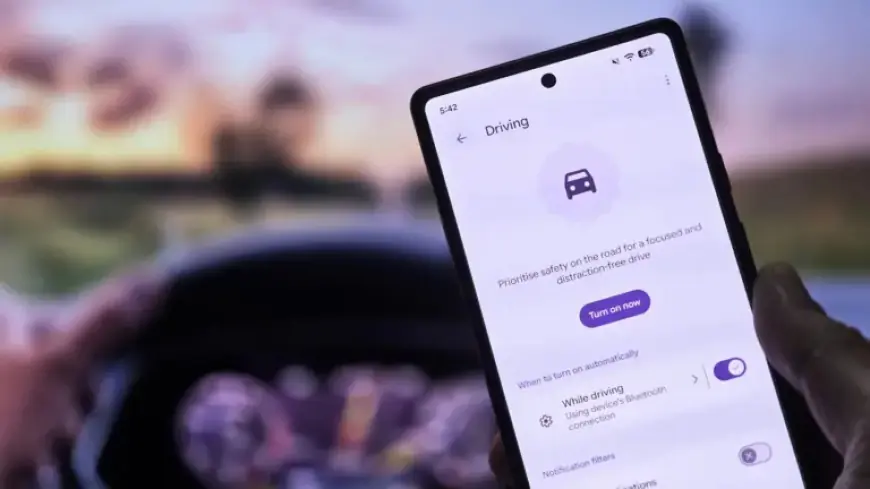
Google has addressed a significant inconvenience in its Android Driving Mode feature, improving the automatic Do Not Disturb (DND) functionality.
Changes to Driving Mode
The updated Driving Mode will now activate DND solely when the phone is connected to a car’s head unit via Bluetooth. Previously, the system sometimes turned on for passengers, which caused unnecessary interruptions.
How Driving Mode Works
- Driving Mode limits distracting notifications while driving.
- The feature can automatically activate when driving is detected.
- For activation, users traditionally relied on:
- Bluetooth connection to the vehicle
- Device motion detection
- Both Bluetooth connection and motion detection
In recent updates, Google had inadvertently shifted the system to activate for any motion detected, regardless of the Bluetooth connection. This resulted in missed calls and notifications for users not actively driving.
Restoration of Bluetooth Activation
Fortunately, the restoration of Bluetooth-specific activation has been observed across various Android devices. This update is currently available in version 26.05.32 of Google Play Services.
Device Compatibility
The updated feature appears with the Material 3 Expressive UI on Pixel devices. However, devices with different interfaces, such as the OnePlus 13R, may not have this design.
Features and Settings
To activate the improved Driving Mode, follow these steps:
- Go to Settings
- Select Modes
- Choose Driving
- Toggle on the option for “While driving”
Users can then select between the options available. Notably, some manufacturers, like Samsung, allow activation through Android Auto, making the feature more versatile.
Final Thoughts
This update aims to enhance user experience while driving, minimizing distractions. Users are encouraged to check for updates in the Google Play Store to access the latest functionality.