
























Repurpose Your Old PlayStation 2 Now

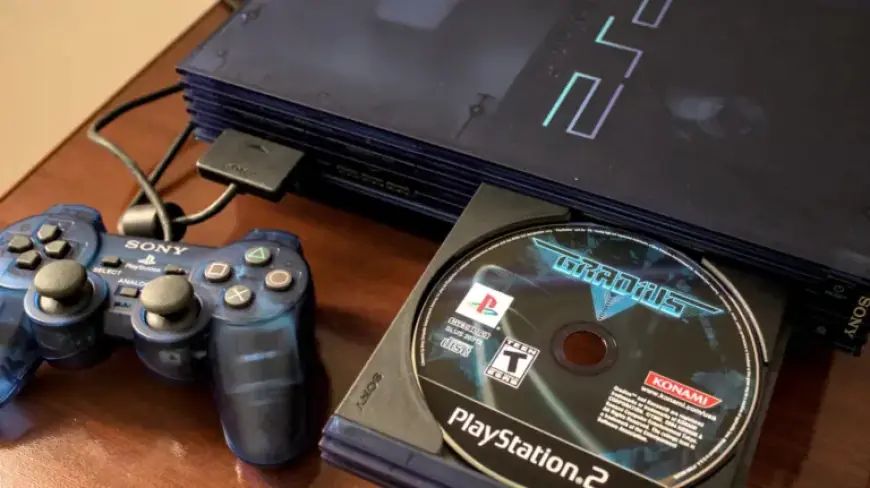
In the world of gaming, nostalgia often reigns supreme. For many, the PlayStation 2 (PS2) remains an iconic console. Launched by Sony in 2000, it holds the title of the best-selling video game console of all time. As newer consoles like the PlayStation 5 take center stage, the PS2 may seem outdated. However, it can still provide an enjoyable gaming experience with some clever modifications.
Repurpose Your Old PlayStation 2
If you have an old PS2 tucked away, don’t toss it out. There are ways to breathe new life into this classic console.
Getting Started with Modifications
The journey begins with jailbreaking your PS2, an easy process with the right tools. You’ll need a FreeMCBoot (FMCB) memory card. These cards are readily available and come preloaded with the necessary software.
- Insert the FMCB card into your PS2.
- Boot up the console to launch the software.
- Note: This method works for all PS2 models except the 9000 series Slim models.
If you own a Slim model, a special FMCB card is required to initiate the process. This involves additional steps, like accessing the memory card browser.
Updating Your Hardware
Next, consider the display options for your PS2. Modern televisions often lack compatibility with the PS2’s AV and component outputs. A standard AV to HDMI converter can be used, but it may compromise image quality. Instead, opt for a dedicated PS2 to HDMI adapter. This option provides superior visuals with minimal input lag.
If you’re using original PS2 controllers, they can enhance your nostalgic experience. However, you can also connect modern controllers, including those from the PS4 and PS5, through a Bluetooth adapter designed for the PS2.
Enhancing Storage Capacity
One major limitation of the PS2 is its small storage capacity of only 8 MB. If you own the original Fat model, it features a compartment for external storage. You can install a network adapter that allows for additional storage, although it requires an IDE to SATA converter for modern drives.
The PS2 Slim model has different options for storage upgrades. It can utilize a USB 1.1 connection or an SD card adapter. For optimal performance, format your storage device to exFAT before use.
Installing Essential Software
Booting into FreeMCBoot will set you up for success. The FMCB card typically includes necessary applications such as:
- LaunchELF: A versatile file explorer for managing save files and apps.
- MechaPwn: Allows for playing games from any region.
- HDLGameInstaller: A utility for ripping game discs to your chosen storage device.
- OPL Game Loader: The centerpiece for organizing, customizing, and running games.
Using these applications, you can enjoy a vast library of games and modify settings to enhance your gaming experience.
Reviving the Classic Gaming Experience
With these modifications, your old PlayStation 2 can shine once more, offering new gaming options and the thrill of nostalgia. Enjoy revisiting classic games in an entirely new way, all thanks to simple upgrades and innovative software.