
























Google’s At a Glance Widget Receives Long-Awaited Update

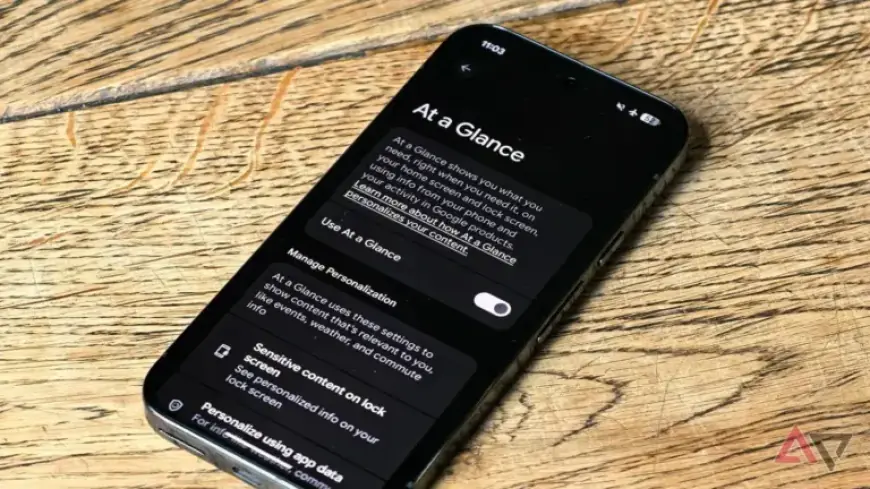
Google has made significant updates to its At a Glance widget, enhancing its usability for users. This widget provides essential information quickly and conveniently, but readability has been an issue for some users. Fortunately, a new high-contrast background mode aims to resolve this problem.
Key Features of the Update
- High-Contrast Background Mode: A new feature that improves text visibility against the widget’s background.
- User Feedback: A user on Reddit first highlighted this enhancement, drawing attention to its potential benefits.
- Usability Enhancement: This mode helps users read the text more easily, even in various lighting conditions.
Availability
The high-contrast mode is currently available to users of the Android 16 QPR3 beta. To enable this feature, navigate to the settings menu of the At a Glance widget and select the option to add a tinted background.
Impact of the Update
While the design may appear less sleek due to the added tint, the readability enhancement is expected to significantly improve the user experience. This feature is anticipated to be a welcome addition, especially for those who often rely on the At a Glance widget for important information.
Additional Notes
- The update may require an additional Google Play system update.
- Users can disable this feature if they prefer the original appearance of the widget.
- This update is yet to be rolled out widely, but it is expected to gain traction upon public release.
As Google continues to refine its At a Glance widget, this high-contrast background mode represents a notable advancement in functionality. With ongoing user feedback, the widget may evolve further to meet users’ needs more effectively. For more updates, visit Filmogaz.com.