

























Discover 8 Exciting Features in Windows 11 February Update

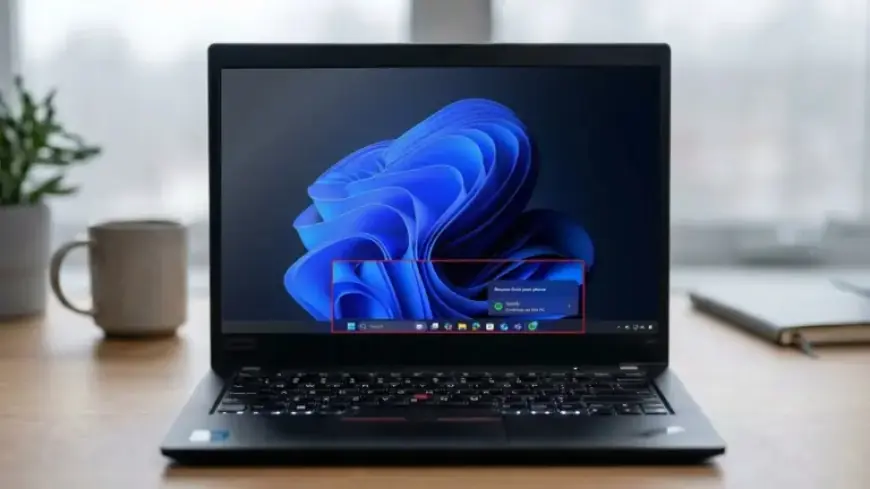
On February 10, 2026, Microsoft will launch its latest Patch Tuesday update for Windows 11, ushering in a host of new features, enhancements, and fixes. This update primarily targets Windows 11 versions 25H2 and 24H2, which share identical updates. Here’s a detailed look at the key features arriving in this release.
Discover 8 Exciting Features in Windows 11 February Update
- Cross-Device Resume: Users can now resume activities from their Android phones to their Windows 11 computers directly from the Taskbar. This includes tasks in apps like Word, Excel, PowerPoint, and Spotify.
- Windows MIDI Services: The update enhances MIDI support, adding features such as full WinMM and WinRT MIDI 1.0 support, better performance, and bug fixes aimed at improving musicians’ experiences.
- Device Info Card: A new “Device info” card in the Settings app will present users with key specifications, including processor details, memory, graphics, and storage.
- Smart App Control Modifications: Users can now enable or disable the Smart App Control feature without needing to reinstall Windows, simplifying security management.
- Windows Hello Improvements: The Enhanced Sign-in Security for Windows Hello will support various external fingerprint readers, allowing more flexibility for users.
- File Explorer Speed Boost: Performance improvements are implemented in File Explorer, enhancing navigation speed, especially when accessing network locations.
- Voice Access Enhancements: A new setup wizard will facilitate easier configuration for Voice Access, guiding users through required steps to optimize their experience.
- Voice Typing Updates: Users will have the option to set a delay before a voice command executes, with options ranging from instant to very long waits.
New Features Rollout
The rollout will utilize the Controlled Feature Rollout (CFR) technology, meaning not all users will see these features immediately. This strategic method allows for gradual implementation and testing.
Update Availability
Initially available through the Release Preview Channel via the Windows Insider Program, the update will be accessible to all users shortly after. To download it, navigate to Settings > Windows Update, then select “Get the latest updates as soon as they’re available” and click “Check for updates.”
Precautions Before Installation
Given previous quality issues with updates, it is advisable to create a system restore point and a full backup before installing this update. This preparation ensures users have a rollback option in case of complications.
For more insightful articles and updates on Windows 10 and Windows 11, visit Filmogaz.com.