
























1Password Launches Innovative Phishing Prevention Feature

1Password has introduced an innovative phishing prevention feature aimed at enhancing online security for its users. This addition seeks to help individuals safeguard their personal information from malicious sites.
How the New Phishing Prevention Feature Works
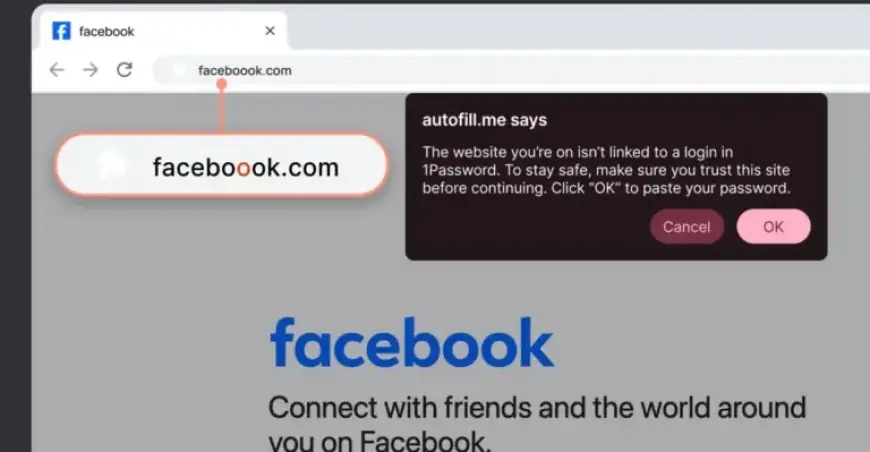
When a user clicks on a link leading to a website that does not correspond with the saved login details, the 1Password browser extension takes immediate action. It performs two essential functions:
- Prevents autofilling of login credentials.
- Displays a warning pop-up that indicates the mismatch of the URL with saved logins.
This feature is designed to increase user awareness of potential phishing attempts. Although it does not eliminate the risk entirely—users can still manually input their credentials—it encourages them to proceed with caution.
Availability and Functionality
The rollout of this phishing prevention feature begins today. However, full availability may take several weeks for all users.
- For individual and family plan subscribers, the feature will be activated automatically.
- Business users will require their 1Password Admins to manually enable the feature.
By implementing this new tool, 1Password aims to empower users to make safer online decisions and reduce the chances of falling victim to phishing scams.