























Top Apple CarPlay Widgets for iOS 26: Your 2026 Ultimate Guide

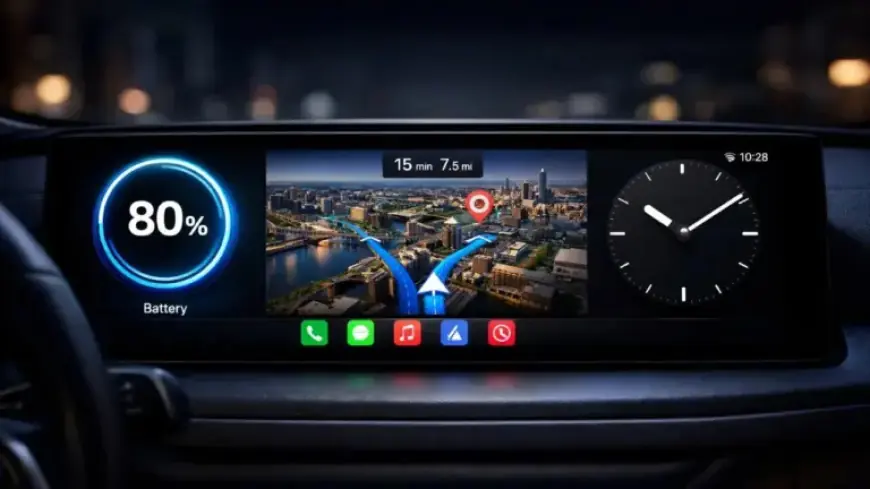
The recent release of iOS 26 brought a transformative update to Apple CarPlay, introducing a dedicated widget page. This update is compatible with both Apple and third-party widgets, enriching the driving experience. Drivers can utilize a variety of widgets designed to enhance convenience, functionality, and entertainment on the road.
Highlighting the Top Apple CarPlay Widgets for iOS 26
This guide focuses on some of the most impactful widgets available. Here’s a look at the standout features that can elevate your CarPlay experience:
Weather Widget: Stay Ahead of the Elements
The weather widget offers real-time information including temperature, wind speed, and precipitation. Its integration with live radar lets drivers track weather patterns right from their dashboard. This feature is particularly useful for those on long trips or in areas with unpredictable weather. Apps like Windy enhance this tool, providing detailed forecasts and radar views for more accurate weather management.
Dynamic Lyrics Widget: Enhance Your Music Experience
For music lovers, the dynamic lyrics widget synchronizes real-time lyrics with playing songs. It displays media controls and album artwork, creating a more engaging listening experience. Whether curating a road trip playlist or enjoying daily commutes, this widget ensures seamless musical enjoyment.
Voice Memo Widget: Capture Ideas Effortlessly
The voice memo widget, such as Just Press Record, is a handy tool for recording quick audio notes. This feature allows for one-touch recording, enabling users to capture thoughts and reminders without diverting attention from the road. It’s an essential aid for professionals and creatives who need to document ideas while driving.
Amazon Widget: Stay Updated on Deliveries
The Amazon widget benefits online shoppers by providing real-time tracking for package deliveries. Users can view tracking updates and schedules without checking their phones. Additionally, it highlights current deals, allowing drivers to stay organized and informed while on the road.
Apple Watch Face Widget: Add a Touch of Style
This widget brings a stylish aesthetic to the CarPlay interface, showing the date, time, weather, and iPhone battery percentage in a watch-style layout. It enhances the visual appeal and provides quick access to vital information, merging function with design.
Apple Home Widget: Control Your Smart Home from the Road
The Apple Home widget connects seamlessly with smart devices, enabling control of garage doors, locks, and lights directly from CarPlay. This feature enhances security and convenience, allowing users to manage their homes while driving safely.
Dashboard Widget: Personalize Your CarPlay Display
The customizable dashboard widget lets users tailor their CarPlay display with vehicle images, logos, or text. This option is particularly appealing for car enthusiasts who want a personalized touch on their interface.
Sidecar Widget: Monitor Your Vehicle’s Health
The sidecar widget offers crucial insights into vehicle performance including fuel levels, tire pressure, and engine diagnostics. When paired with OBD2 sensors, it provides advanced monitoring to alert drivers about potential issues, ensuring safety on the road.
Transform Your Driving Experience with iOS 26 Widgets
The array of widgets introduced with iOS 26 enhances Apple CarPlay, catering to various user needs. From real-time weather updates and music controls to smart home integrations and vehicle diagnostics, these widgets make the driving experience more enjoyable and efficient. By integrating these tools into CarPlay, drivers can turn their dashboard into a multifunctional hub.
For further insights into Apple CarPlay and the latest updates, explore additional guides and articles on Filmogaz.com.