

























Transform Your Steam Library into a Cozy Physical Game Room with Boxroom Demo

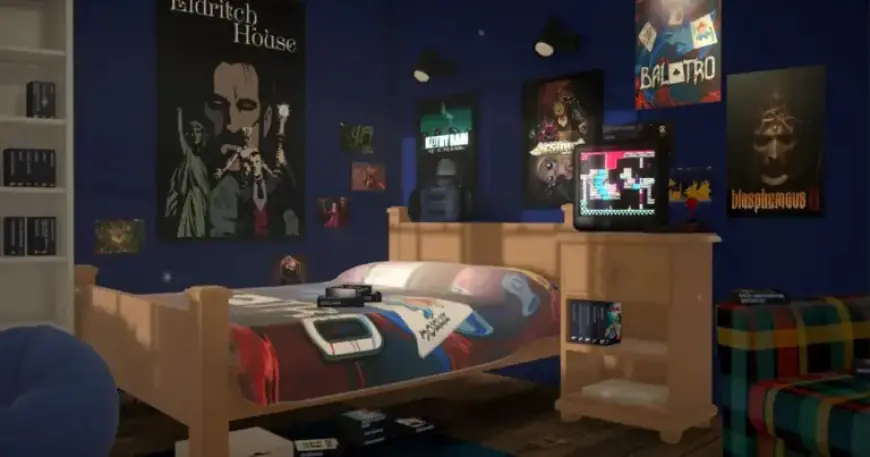
Nested Loop Studios has released Boxroom. The app turns a Steam collection into a virtual, touchable display of game boxes.
What Boxroom offers
Boxroom wraps each owned title with a front-cover box. The boxes include printed screenshots where manuals would sit.
Users can place shelves, posters, beanbags, and beds to personalise a space. The system lets players arrange titles however they prefer.
Interact and launch
Each box acts as a launcher for the installed game. Clicking a box starts the corresponding Steam title.
The interface aims to mimic the look and feel of a physical collection. It keeps the virtual room dust-free and tidy.
Trailer and presentation
The trailer shows rooms being filled with shelves and decor. Game boxes and posters appear arranged in neat displays.
The footage emphasises customization and the satisfaction of a curated collection. It highlights how the space can look like a cozy physical game room.
Boxroom demo and Steam requirements
A Boxroom demo is available now on Steam. Players must set their Steam profile’s game details to public for detection.
The demo displays a pop-up explaining the setting change. Some users may hesitate to make collections public, as noted by a playful example about owning 73 fish-themed games.
Feedback and release window
Developers are inviting feedback via a survey linked on the demo page. Responses will help shape additional features before launch.
Nested Loop Studios plans early access between April and the end of June this year. The survey aims to refine the experience ahead of that window.
If you want to transform your Steam library into a tangible-feeling display, try the Boxroom demo. Visit Steam, test the preview, and share feedback with the developers through the survey on Filmogaz.com coverage.