

























Google Maps Immersive Navigation Adds 3D Driving View but Leaves Questions

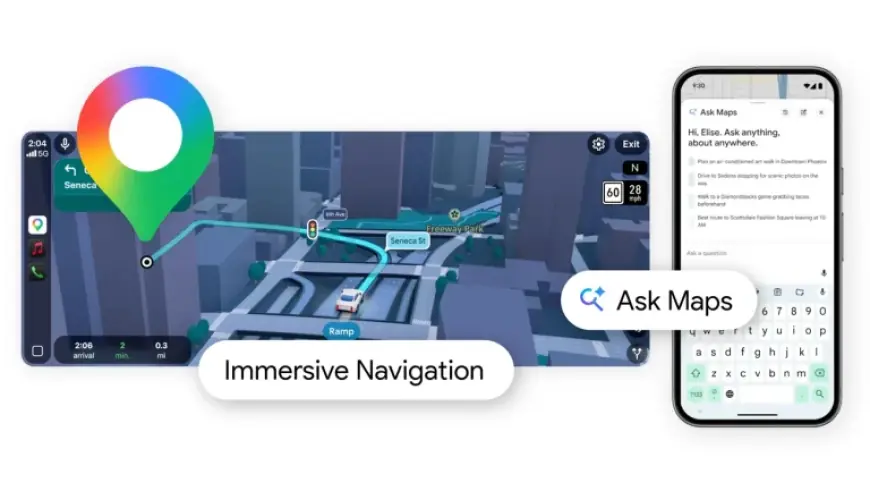
Google is rolling out a conversational feature called Ask Maps and a redesigned driving mode called Google Maps Immersive Navigation. What the record shows is a set of detailed, Gemini-powered features arriving first in the U. S. while the availability timeline and user controls for those features are left vague.
Google: Confirmed rollout of Ask Maps and where it will appear
Confirmed: Ask Maps is launching on Android and iOS in the U. S. and India, and a desktop version is expected later. The context documents Ask Maps as a conversational, in-app tool that answers complex location questions and builds itineraries, pulling from Maps’ database of places and reviewers. Documented: Ask Maps personalizes responses using places a user has searched for or saved, and it can turn recommendations into actions such as booking a reservation, saving to a list, or sharing with friends.
Open question: The context does not confirm whether Ask Maps will include an opt-out or a setting to hide the feature in future releases. What remains unclear is whether personalization controls will be exposed to users beyond the examples of using saved or searched places.
Google Maps Immersive Navigation: Features, visuals, and technical claims
Confirmed: Google Maps Immersive Navigation offers a vivid 3D view that reflects buildings, overpasses, and terrain and highlights lanes, crosswalks, traffic lights, and stop signs. Documented: The mode pairs helpful visuals—smart zooms and transparent buildings ahead of tricky turns—with more natural voice guidance and Street View previews, plus parking suggestions to help drivers from the last turn to the front door.
Confirmed: Immersive Navigation is beginning to roll out in the U. S. and is slated to expand to eligible iOS and Android devices, CarPlay, Android Auto, and vehicles with Google built-in over the coming months. Open question: The context does not confirm a precise schedule for that expansion or which devices will be ‘‘eligible’’ at each milestone.
Gemini and Ask Maps: Documented personalization and the limits of disclosure
Documented: Google is using Gemini models to power Ask Maps and to analyze fresh Street View and aerial imagery for Immersive Navigation. The context describes Gemini analyzing imagery to give accurate views of landmarks and medians along a route. Documented: Ask Maps customizes recommendations based on user signals—saved places, past searches, and inferred preferences such as dietary choices—and the Gemini chatbot can search inboxes and files to find answers.
Confirmed: Maps will show alternate route tradeoffs—examples include a longer trip with less traffic versus a faster route with a toll—and will surface real-time disruptions like road construction and crashes using contributions from drivers. Documented: Community contributions power many of these live alerts, with drivers providing millions of updates every day.
Open question: The context does not confirm how data used by Gemini—such as inbox or file access—maps to explicit user controls within Maps or Ask Maps. What remains unclear is whether the ability for Gemini to search inboxes and files will affect how Ask Maps formulates recommendations in the navigation experience or whether that capability applies in the mobile rollout described.
Closing: The specific evidence that would resolve the central question is a published feature matrix and settings list showing when Immersive Navigation reaches each platform and whether Ask Maps includes user-facing toggles for personalization and data access. If Google confirms a user control that disables Ask Maps personalization or prevents Gemini from accessing inboxes and files, it would establish that users can limit how deeply Ask Maps integrates personal data into route recommendations.













