

























Apple Watch Now Boasts AirTag’s Best Feature: Setup Guide

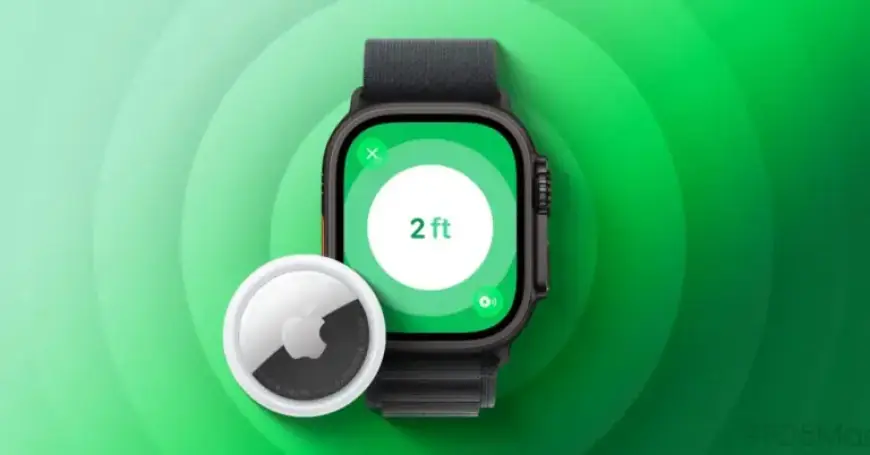
Apple has significantly enhanced its AirTag functionality with the introduction of the AirTag 2. One of the standout features is the expansion of Precision Finding to the Apple Watch.
Key Features of AirTag 2
The primary goal of AirTag is to assist users in locating lost items. Precision Finding has always been the most effective method for this purpose. This feature provides haptic, visual, and audio cues that guide users directly to their misplaced belongings.
With the launch of AirTag 2, Precision Finding now operates up to 1.5 times further than its predecessor. For the first time, this feature is also compatible with the Apple Watch.
How to Set Up Precision Finding on Apple Watch
Setting up Precision Finding on your Apple Watch requires a few simple steps. However, it involves navigating through the Control Center instead of the usual Find Items app.
- Press the side button to access Control Center.
- Scroll to the bottom and tap “Edit.”
- Tap the Add button in the top-left corner.
- Scroll down to “Find Items” and select “Find AirTag.”
- Follow the prompts to add your AirTag to Control Center.
Once added, each AirTag will display a unique icon corresponding to the item type. For instance, if an AirTag is placed in a backpack, the icon will represent a backpack.
Requirements for Precision Finding
To utilize Precision Finding on your Apple Watch, specific hardware and software are necessary:
- Hardware: Requires AirTag 2 and either an Apple Watch Series 9 or later, or Apple Watch Ultra 2 or subsequent models.
- Software: Must run on watchOS 26.2.1 or higher.
Conclusion
Accessing Precision Finding from the Control Center proves to be highly convenient. Each added item is assigned a distinct icon, enhancing user experience. While the current setup may not be ideal for all, there is hope for future updates to integrate this functionality into the Find Items app.
Are you looking forward to using AirTag Precision Finding on your Apple Watch? Share your thoughts in the comments below.














