















Fire Tv Mobile App New Features Turn Your Phone Into a Full Second-Screen Remote — What Fire TV Owners Should Know

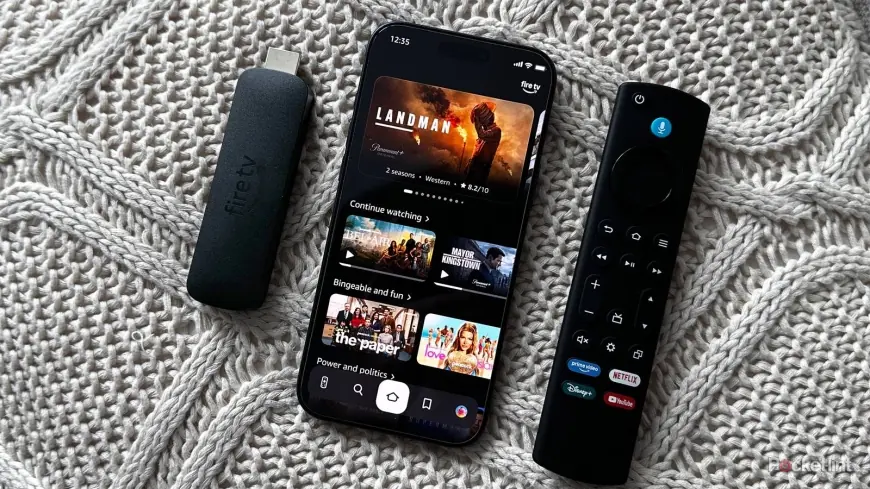
The groups who feel this first are simple: people who use their phone as a backup remote and viewers in the rollout countries. The free fire tv mobile app new features make the phone more than a spare controller — it’s a discovery and queueing tool that mirrors the redesigned TV interface, so your phone can browse, add to your watchlist and launch shows on the big screen without touching the physical remote.
Fire Tv Mobile App New Features through an owner-focused lens
Here's the part that matters: this update was shaped to serve everyday watchers who prefer tapping on a phone to fumbling with a tiny remote. The app’s upgrade is meant to feel like an extension of the TV experience rather than an emergency fallback. If you already rely on your phone for search or recommendations, the new workflow moves those tasks into a single second-screen space.
What changed in the design that prompted the mobile overhaul
At CES 2026 in January, the company previewed two major updates: a complete redesign of the Fire TV interface and a revamp of the free mobile app for iOS and Android. Last week the redesigned TV interface began rolling out in the US, bringing a cleaner look, improved layouts and smoother performance. That redesign—marked most noticeably by a shifted navigation bar and an expanded app-pin limit—is the immediate reason the mobile app was reworked to match.
Key interface shifts and the feature list that landed on phones
- The navigation bar on TV has moved from the middle of the screen to the top, changing how users scan home content.
- The new home screen allows pinning up to 20 frequently used apps, increased from the previous limit of six.
- Visual updates include more modern layouts with rounded corners, refreshed color gradients, updated typography and tighter spacing; that design language was carried over into the mobile app.
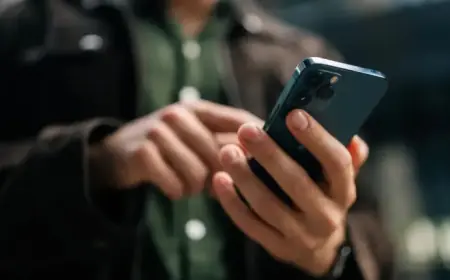
- The mobile app now does more than act as a backup remote: you can browse the same content presented on your TV, manage your watchlist and launch titles directly on the TV from your phone.
- If you get a recommendation while away, you can add it to your watchlist on the phone and it will be waiting on the TV when you return.
Rollout regions, app availability and device limits
The updated mobile app is rolling out on Android and iOS in the UK, Germany, France, Italy, Spain, Japan and India. The update is already live on the US app marketplace, but the new capabilities will become available gradually over the next weeks, so an updated app may not show the new features immediately. The free app can be downloaded from the App Store and Google Play Store.
The redesigned TV interface itself is currently limited to US users on specific hardware: Fire TV Stick 4K Plus, Fire TV Stick 4K Max (2nd Gen) and the Fire TV Omni Mini-LED Series. Expansion to more devices and additional countries is planned later this spring.
Practical payoff and short checklist for users
If you're wondering why this keeps coming up, it's about convenience and discovery. The phone now handles browsing and queuing so you can skip slow remote navigation and populate your TV watchlist while mobile.
- If you updated the app but see no changes, wait a few days while features roll out.
- Owners of the specified TV devices in the US will see the redesigned interface first; other devices will receive it in a later expansion.
- Expect the phone to mirror TV content listings and to allow direct launching of titles from the app.
- For people who recommend shows to friends, the app’s watchlist integration lets those picks be queued remotely.
It’s easy to overlook, but the move from a six-app pin limit to twenty is a practical change that reduces menu hunting for heavy app users. The bigger signal here is that the visual overhaul on TV drove the app rebuild, not the other way around—so further mobile changes may follow future TV tweaks.
We want to hear from readers about how this lands: if you try the refreshed app, share what works and what still feels unfinished.
image_url: null