

























Maximize Samsung’s Separate App Sound for Enhanced Audio Control

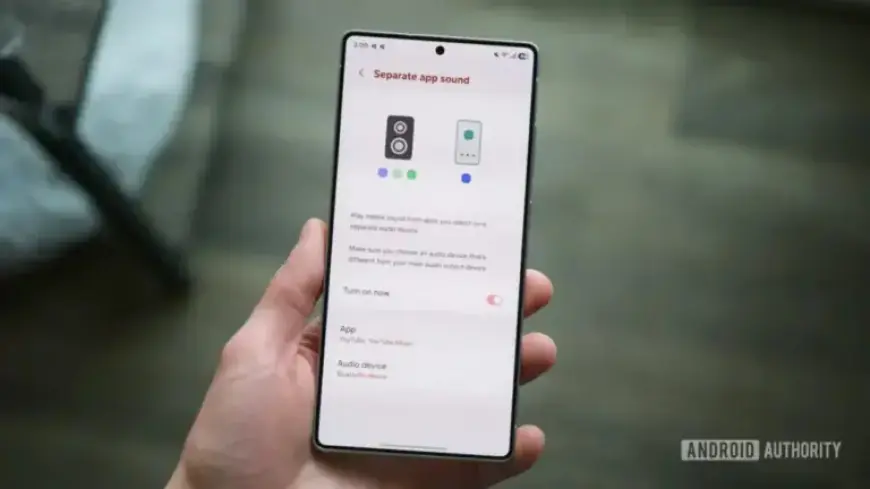
Samsung smartphones are renowned for their plethora of features, including a hidden gem known as “Separate App Sound.” This function enables users to route audio from specific applications through different audio outputs. For example, you can play music from YouTube Music through a Bluetooth speaker while keeping notifications on your phone’s speakers. If you haven’t explored this feature yet, you might be missing out on enhanced audio control.
Understanding Separate App Sound
Separate App Sound, first introduced with the Galaxy S8 series in 2017, allows greater flexibility in managing audio sources. This feature is particularly beneficial in scenarios where receiving calls or notifications would disrupt your listening experience.
How to Enable Separate App Sound
Activating Separate App Sound on your Samsung device is a straightforward process:
- Open the Settings app on your Samsung phone.
- Select Sounds and vibrations.
- Scroll down and tap on Separate app sound.
- Toggle the Turn on now option.
- Choose the applications you want to customize.
- Select whether to output audio through your phone or a connected Bluetooth device.
After setting it up, you may need to confirm changes to your main audio output. For instance, if you choose YouTube Music to play through connected wireless earbuds, the phone will manage all other audio separately.
Why Use Separate App Sound?
This feature is useful in multiple situations:
- Playing music through Bluetooth speakers without interruptions from notifications or calls.
- Listening to music while preventing social media app sounds from interrupting.
- Routing work calls through earbuds while keeping personal notifications audible.
While Samsung is the only Android manufacturer to offer a feature like this, it opens up new possibilities for managing sound environments, especially in social settings. Whether at home or in the car, Separate App Sound enhances audio control significantly.
For Samsung users, exploring Separate App Sound can lead to a better audio experience. It emphasizes the brand’s commitment to user-friendly features that enhance device functionality.