

























Discover the Android App That Frees Up 10GB on Smartphones

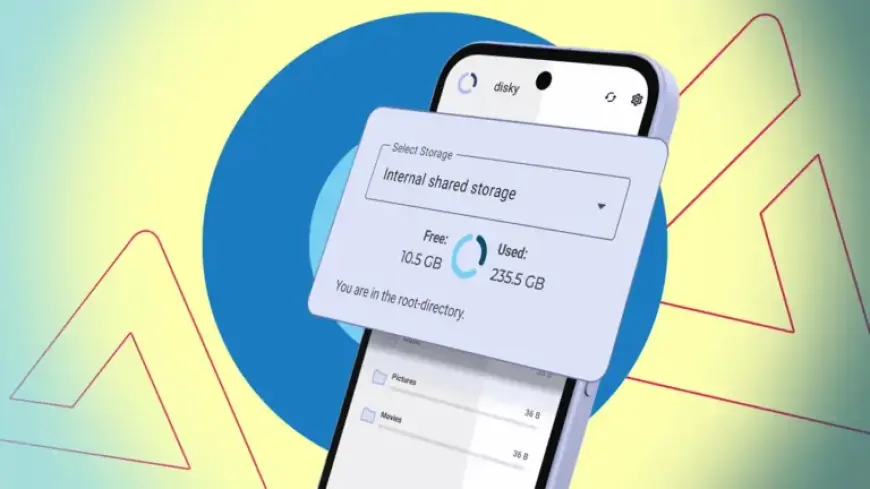
Every Android smartphone user eventually faces the dilemma of limited storage space. This issue is common, regardless of device choice, whether it be the Google Pixel 10 Pro, Samsung Galaxy S25 Ultra, or Honor Magic 8 Pro. Many users often resort to cloud storage solutions or external drives to manage their data. However, these solutions can be impractical for everyday use. Fortunately, there are tools that can help free up space on smartphones effectively.
Discover the Android App That Frees Up 10GB on Smartphones
One of the most notable apps for managing storage is Disky. It provides a user-friendly interface and offers an easy way to identify what takes up space on your Android device. Firstly, Disky is available exclusively through the F-Droid app store, not on Google Play Store. This app requests essential permissions to analyze storage and present the findings in a straightforward format.
How Disky Works
Upon launch, Disky begins analyzing the device’s storage immediately. It displays the results using a pie chart that visualizes storage used versus free space. Below this chart, items are listed in descending order based on their storage usage, allowing users to see which applications or files are occupying the most space. This analytical approach enables users to identify the largest storage hogs easily.
- Apps: Approximately 45GB
- DCIM Folder: About 17.5GB
- Downloads: Roughly 11.5GB
While Disky effectively showcases the storage consumption, users cannot delete files directly within the app. To clear stored data, users must rely on additional file management applications.
Alternative Storage Management App: SD Maid 2/SE
For those who require a more detailed analysis, SD Maid 2/SE offers additional features for cleaning both internal storage and cache files. It maintains an intuitive design, with a prominent delete button for quick space clearance. Users can also take advantage of various tools, including:
- CorpseFinder: Identifies and removes leftover files from uninstalled applications.
- SystemCleaner: Eliminates junk files within the system.
- Deduplicator: Helps find and remove duplicate files.
SD Maid 2/SE also features a StorageAnalyzer, like Disky, but offers direct access to app settings for further management of cache and user data.
Cost Considerations
While Disky is a free option, many features in SD Maid 2/SE require a paid subscription to unlock. For users who simply need to identify and manually clear storage, Disky proves to be the most beneficial choice.
Final Thoughts on Cleaning Android Storage
Freeing up storage space on Android devices is more manageable than it may seem. Apps like Disky can help users easily analyze their storage needs without complexity. For owners of Samsung Galaxy smartphones, alternative tips and tricks are also available to optimize storage effectively.