

























Windows 11 26H2 Update Confirmed for Release Later This Year

Microsoft is set to launch the Windows 11 26H2 Update later this year, expected around October 2026. This new update will follow the current versions, 25H2 and 24H2, and is designed for all non-ARM PCs.
Understanding Windows 11 Versions
In addition to 26H2, Microsoft has announced Windows 11 26H1. This version is tailored specifically for new Snapdragon X2 and potentially other ARM CPUs. Notably, 26H1 is not a feature update but rather a set of platform changes intended for newer hardware.
Key Features of Windows 11 26H2
- Release Timeline: The update is confirmed for a release in late 2026.
- Build Number: Microsoft rolled out Build 26300.7674 on January 27, 2026.
- Enablement Package: This build includes references to an “enablement package” for 26H2, indicating that new features might be introduced.
While currently the 26H2 references are not apparent in system settings, updates will likely clarify these features as the release approaches.
New Features on the Horizon
Significant enhancements are slated for Windows 11, especially features integrated with Copilot.
Copilot in File Explorer
One of the most talked-about features is the introduction of Copilot in File Explorer. This will allow users to interact directly with Microsoft’s AI within the application. Copilot will appear in a side pane, making it easier to manage files while offering real-time assistance.
Search Experience Improvement
The Windows Search functionality will also receive an upgrade through a feature called “Ask Copilot.” This new interface promises a smoother, less cluttered experience that enhances usability.
Agenda View Integration
The notifications center will see the return of the Agenda View, improving access to Outlook agendas while ensuring a seamless user experience.
Other Notable Changes
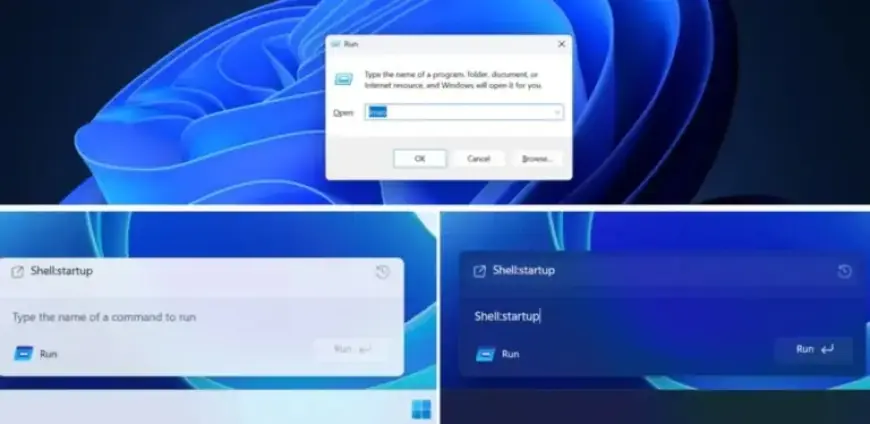
- Modern Run Dialog: A new version of the Windows Run dialog is being tested, competing with the legacy one.
- Enhanced Xbox Experience: Improved Full-Screen Experience for gaming.
- Support for .webp: Users can set .webp files as desktop backgrounds.
With Windows 11 26H2 on the horizon, users can anticipate these improvements designed to enhance performance, usability, and overall experience. Stay tuned for more announcements as the release date approaches.