Pixelmator Pro Debuts on iPad: Discover Its New Features

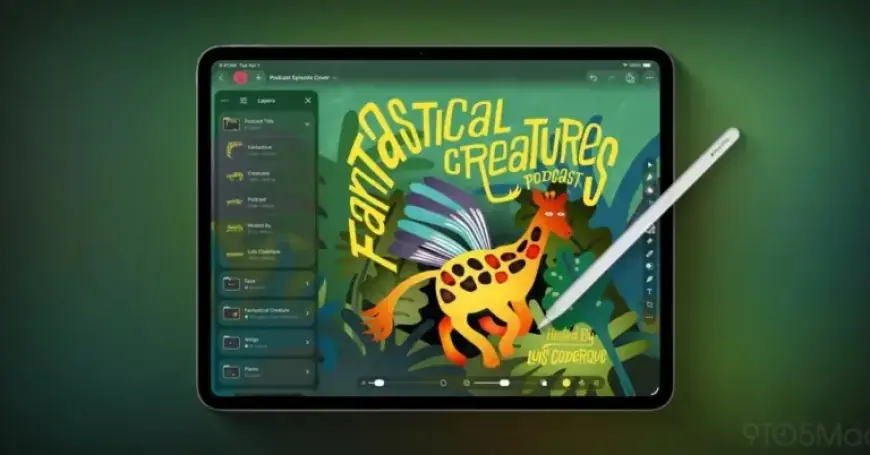
Pixelmator Pro has officially launched on iPad, marking its entry into the Apple Creator Studio. This new version enhances the creative capabilities for iPad users, combining a user-friendly interface with powerful editing tools.
New Features of Pixelmator Pro for iPad
With the introduction of Pixelmator Pro on iPad, users can expect a range of innovative features tailored for both design and photography. Below are the key enhancements available:
- Touch Optimization: The app supports editing, painting, and design activities optimized for touch, ensuring a smooth user experience.
- Apple Pencil Support: Users can draw with pixel-perfect precision, benefiting from advanced functionalities like hover, squeeze, double-tap, and palm rejection.
- Photo Capture: Integrate snapshots directly into projects using the iPad camera, allowing for seamless workflow.
- Warp Tool: Effortlessly manipulate images and text with the new Warp Tool, including 12 smart warp presets.
- Mockup Collections: Two new sets of product and apparel mockups facilitate showcasing designs on various items.
Editing and Enhancements
Pixelmator Pro offers robust photo editing capabilities. Users can adjust colors in images and videos using premium color adjustment tools. The app features:
- Machine learning tools for background removal and enhancement.
- Support for RAW photos from a wide range of digital cameras.
- Over 40 color adjustment presets and 70 effects to enhance creativity.
Design Capabilities
The app allows users to harness layer-based editing to create impressive designs. Key design features include:
- Support for vector shapes and typography with customizable layer styles.
- A broad selection of templates and fully editable mockups.
- Tools for sketching and illustrating with various shapes and brushes.
Compatibility and Sharing
Pixelmator Pro ensures compatibility with numerous file formats, enabling users to open and edit files effortlessly. You can share finished projects through various channels, including:
- Photos, Mail, AirDrop
- Formats like JPEG, TIFF, PNG, and more.
The launch of Pixelmator Pro on iPad is a significant development for Apple Creator Studio subscribers. While it currently requires a subscription, many users are already excited about its features and performance.
Have you tried Pixelmator Pro for iPad yet? Share your first impressions with us!