
























Ensure Optimal Gaming: Connect Your PlayStation 5 to the Correct HDMI Port

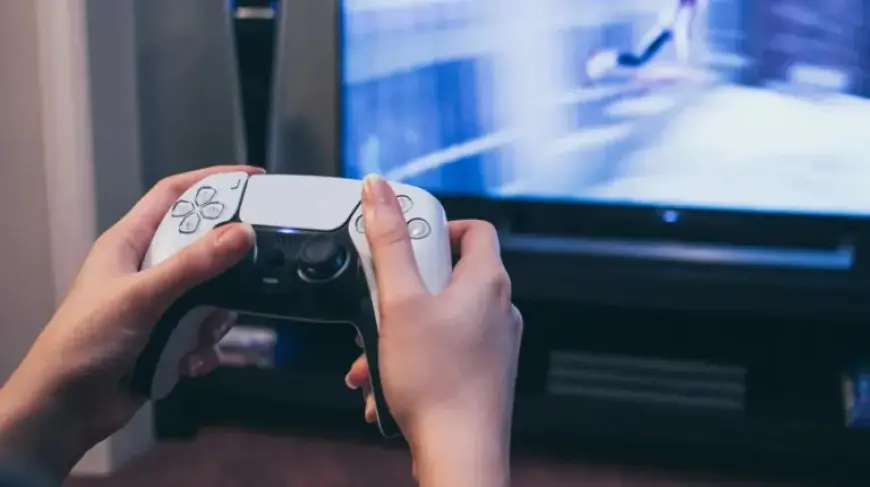
To optimize your gaming experience with the PlayStation 5, connecting it to the correct HDMI port is essential. Not all HDMI ports are equal, and using the right one can significantly enhance visual performance and image quality.
Understanding HDMI Standards
Modern televisions typically feature one or two HDMI 2.1 ports, while others may support the older HDMI 2.0 standard. For the best results, ensure your PS5 is connected to an HDMI 2.1 slot.
Identifying HDMI 2.1 Ports
- Check for labels such as Gaming, eARC, or 4K 120Hz.
- Verify that your HDMI cable is compatible with HDMI 2.1 to utilize “Ultra High Speed HDMI.”
The PlayStation 5 is packaged with an HDMI 2.1 cable, which simplifies this aspect for most users.
Why HDMI 2.1 Matters
HDMI 2.1 supports an impressive bandwidth of 48Gbps. This capability allows for uncompressed video at up to 8K resolution at 60Hz, or 4K video at 120Hz. With the right display, the PS5 can achieve these resolutions and refresh rates.
Furthermore, the upcoming PS5 Pro model, expected to launch in November 2024, promises to enhance gaming experiences even further by supporting AI upscaling and 8K output at 60Hz.
Consequences of Using an HDMI 2.0 Port
Connecting your PS5 to an HDMI 2.0 port limits you to a maximum resolution of 4K at 60Hz. This setup restricts essential gaming features like Variable Refresh Rate and 120 FPS gameplay.
While your games will function on an HDMI 2.0 port, the overall gaming experience may not meet your expectations, especially if you have purchased the PS5 Pro. This model’s standout feature is its capability to output 8K resolution, achievable only through HDMI 2.1.
Future-Proofing Your Setup
HDMI 2.1 was introduced in 2017. Therefore, if your TV is over a decade old, it likely lacks HDMI 2.1 compatibility. When shopping for a new smart TV, consider the number of HDMI 2.1 ports available. This foresight can greatly influence your gaming setup.
By ensuring that your PlayStation 5 is connected to the correct HDMI port, you can fully enjoy the gaming capabilities it offers, including high-resolution graphics and smoother gameplay.