

























Organize Your Drawer of Old Gadgets Efficiently

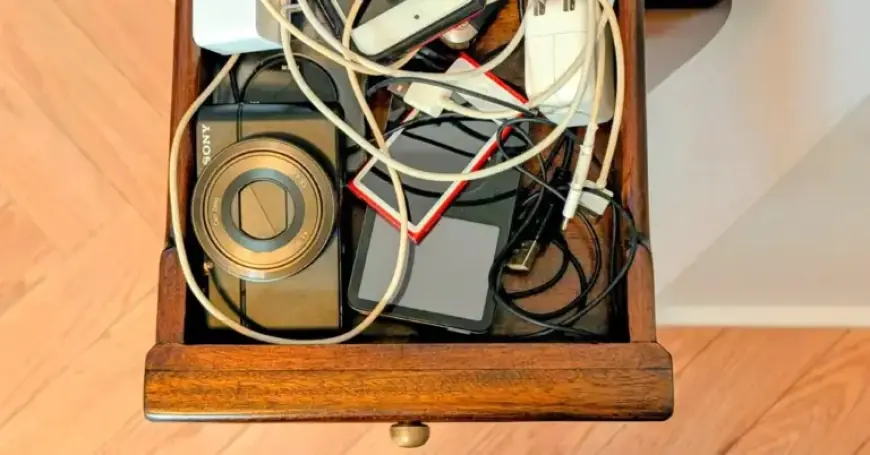
Many individuals are unaware of how to efficiently organize their drawer of old gadgets, cluttered with digital music players and cameras. While smartphones have replaced many of these devices, it’s common to find them tucked away, waiting for a purpose. If you’re holding onto an outdated iPod or a forgotten camera, this article outlines effective steps for retrieving cherished media and decluttering your space.
Getting Started with Old Gadgets
To connect older gadgets to your computer, you may need specific USB cables. The original iPods utilized FireWire connections, while newer models transitioned to USB and Lightning connectors. For other devices, look up user manuals from established brands like Apple, Microsoft, Samsung, or Sony to find compatibility information.
Identifying the Right Cables
- Original iPods required Apple’s dock connector (2003-2012).
- Lightning cables were used until Apple ceased iPod production in 2022.
- Newer computers might only feature USB-C ports, necessitating additional adapters.
Beware of generic converters claiming to connect FireWire devices to USB ports, as these typically do not work. Finding the right cable is essential for accessing your files.
Recovering Media from Your iPod
Released 25 years ago, the iPod was once the premier music player. Apple’s systems allowed only one-way transfers for music, meaning files not backed up can be difficult to recover. Transition from iTunes to the Music app entails careful management of your device interface. Always opt for the “manually manage” option to avoid unintended data deletion.
Methods for File Recovery
- Use file-management software like iExplorer, iMazing, or TouchCopy for easy access.
- These programs display your iPod’s contents for simple file transfer.
- Check community forums for tailored advice regarding specific setups.
You may also face challenges with music files under copyright protection. In such cases, additional authentication might be necessary. Moreover, superior alternatives exist for recovering content from MP3 players designed as external hard drives.
Transferring Photos from Old Digital Cameras
If you own an outdated digital camera, don’t forget to check its playback mode for valuable photos. You can connect the camera directly to a computer or utilize its memory card with a compatible card reader. In Windows or Mac, navigate to the camera’s drive to copy and import pictures easily.
Important Storage Considerations
- Ensure safe storage of rescued files by backing them up on cloud services or external drives.
- Consider using an SD card reader for devices lacking built-in slots.
What to Do Next?
Once you’ve secured your media files, evaluate the fate of your device. You have several options, including:
- Erasing personal data and recycling the gadget responsibly.
- Using an electronics repair service for refurbishing.
- Offering it to younger generations interested in vintage technology.
By organizing your drawer of old gadgets effectively, you not only retrieve valuable memories but also contribute to sustainable practices. Handing down technology fosters creativity and introduces the youth to the tech landscape from before the smartphone era.