Activate Vertical Tabs in Google Chrome Today

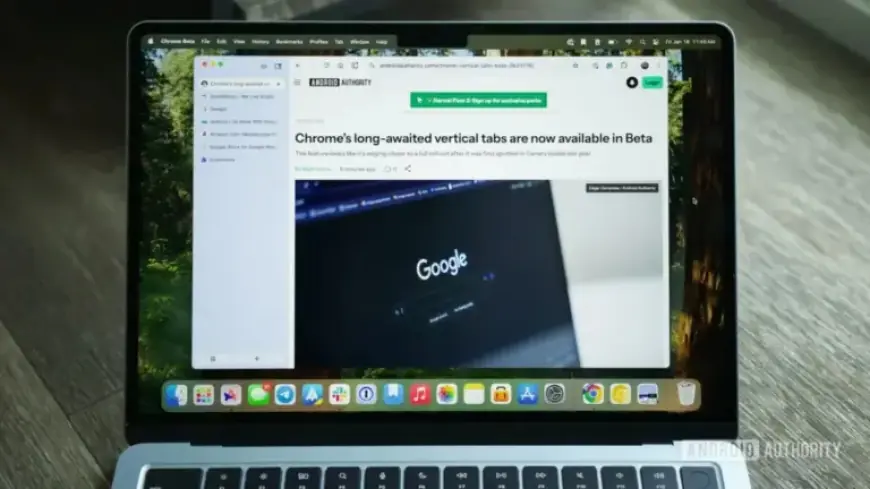
Fans of Google Chrome will be thrilled to know that vertical tabs have finally made their way to the popular web browser. This feature has been adopted by other browsers like Edge, Firefox, Arc, and Vivaldi, making Chrome’s absence notable. However, Chrome users can now enjoy a neater and more organized browsing experience with the new vertical tabs feature.
How to Activate Vertical Tabs in Google Chrome
To enable vertical tabs in Google Chrome, users must download either the Beta or Canary version of the browser. Although this feature is set to appear in the stable version eventually, the timeline remains uncertain. Follow these steps to get started:
- Download Chrome Beta or Chrome Canary if you haven’t already.
- Open the browser and type chrome://flags/ into the address bar.
- In the Search flags bar, type vertical tabs.
- From the drop-down menu, select Enabled.
- Hit the Relaunch button at the bottom of the screen.
Next, reopen Google Chrome. Right-click above the address bar and choose Move tabs to the side. Your tabs will now display in a vertical format on the left side of the screen.
Switching Back to Horizontal Tabs
If vertical tabs do not suit your needs, switching back is equally simple. Here’s how:
- Right-click the area above your vertical tabs.
- Select Move tabs at the top.
This action will revert your tabs to the original horizontal layout, seamlessly restoring your previous browsing experience. Note that this option may not appear in full-screen mode on Mac; minimizing the window should resolve this issue.
Pros and Cons of Vertical Tabs
Trying out vertical tabs in Chrome may enhance your browsing efficiency. This layout allows for better organization by grouping related tabs and providing shortcuts for new tab creation directly within the vertical menu. However, some users may encounter limitations:
- Tapping on a minimized tab closes it, restricting tab switching.
- The address bar’s position at the top of the screen feels disconnected from the vertical tab menu.
As this feature is still in a testing phase, there is potential for improvements before its widespread release. Users are encouraged to experiment with vertical tabs to see if this layout benefits their browsing activity. Will you embrace the change and join #TeamVerticalTabs?