






















Windows 11 Home vs. Pro: Upgrade Advice from My Detailed Comparison

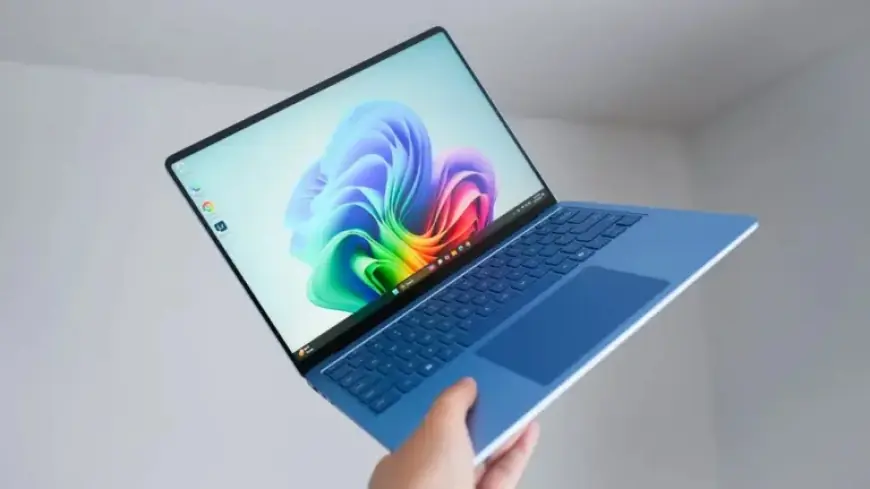
Windows 11 has reached nearly five years since its launch, bringing several notable changes. While it retains core functionalities similar to Windows 10, Microsoft emphasized visual design and performance enhancements. Additionally, it introduced features like support for Android apps and an AI-powered Copilot in later updates.
Comparison of Windows 11 Home and Pro Editions
Microsoft offers two primary editions: Windows 11 Home and Windows 11 Pro. The Pro version contains advanced tools and settings aimed at power users. However, potential buyers often question the value of these additional features.
Core Features
- Windows 11 Home: Full UI, Snap Layouts, Android app support, basic security.
- Windows 11 Pro: All Home features plus advanced security tools like BitLocker and Group Policy Editor.
Security Differences
| Feature | Windows 11 Home | Windows 11 Pro |
|---|---|---|
| Windows Hello | ✓ | ✓ |
| Device Encryption | ✓ | ✓ |
| BitLocker | No | ✓ |
| Group Policy Editor | No | ✓ |
Choosing Windows 11 Home
Opt for Windows 11 Home if you fit one of the following criteria:
- You are an average user focused on everyday tasks like browsing and streaming.
- Your budget is limited. Windows 11 Home is often free for eligible upgrades from Windows 10.
This version provides an uncomplicated interface, with built-in security features such as Windows Defender shielding you from online threats.
Choosing Windows 11 Pro
Consider Windows 11 Pro if:
- You desire greater control over system settings.
- You regularly use virtualization tools such as Hyper-V.
Windows 11 Pro allows users to manage security settings more finely and access features like Full Remote Desktop hosting. Its additional capabilities cater to developers and IT professionals looking to optimize their systems.
Cost Considerations
Windows 11 Home is technically free for eligible users upgrading from Windows 10. Conversely, Windows 11 Pro has a retail price of approximately $199, with a $100 upgrade option from Home. Be cautious of discounted Pro product keys from unverified third-party sites, as these may lead to issues with legitimacy.
Weigh your needs against the features each version offers, and choose the edition best suited to your workflow.