

























Explore a New Digital Photo Editing Workflow Beyond Adobe

In today’s digital world, managing large volumes of photos efficiently is crucial for photographers. With expectations for photo editing software steadily rising, traditional methods may no longer meet the diverse needs of all users.
Limitations of Traditional Choices
Adobe’s Photography Plan, consisting of Lightroom Classic and Photoshop, has long been popular among photographers. Lightroom excels in cataloging images, while Photoshop is renowned for its advanced editing capabilities. Despite their strengths, these programs are rooted in older designs that may not cater to contemporary requirements.
- Lightroom can be slow with extensive image collections.
- Keywording in Lightroom remains a tedious task.
- Photoshop’s complexity can overwhelm inexperienced users.
While Adobe products are effective, alternatives are emerging that may better suit the evolving demands of photography.
Revolutionizing Photo Management
For many photographers, an efficient workflow is paramount. There are countless moments in their careers where they have amassed thousands of images at once. This often leads to a chaotic library, making it challenging to locate specific photos when needed.
Imagine if searching for an image was as simple as typing a phrase in a search bar. Advanced software now exists that can identify subjects in images, eliminating the dependency on manual keywording.
Excire Photo: A Game Changer
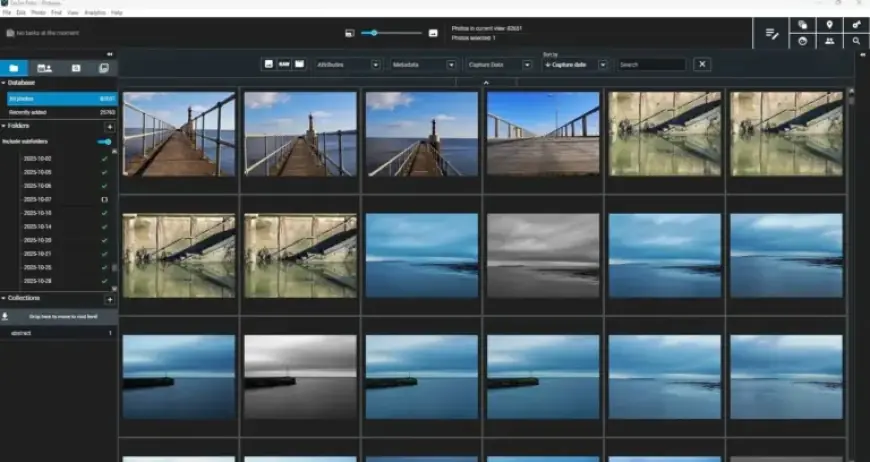
One of the notable programs is Excire Photo, which offers a transformative approach to image organization. After importing existing folders, the software automatically analyzes and adds relevant keywords without overwriting any embedded information.
The software is capable of searching for subjects—even if they lack tags. For example, entering “sunrise” will yield all related photos, regardless of prior keywording.
Efficient Culling Process
Excire Photo also simplifies the culling process. Photographers can easily filter out unsuitable images, such as blurry photos or those with closed eyes. The software can effectively group images, making the selection of the best shots swift and straightforward.
Alternatives like Narrative Select, ImagenAI, and Aftershoot offer similar features for users seeking to streamline their workflow.
Advancing RAW Development
When it comes to RAW file development, several newer applications outperform Adobe’s established tools. Software like DxO PhotoLab and Capture One have shown superior performance in image quality and sensor corrections.
| Software | Strengths |
|---|---|
| Excire Photo | Automatic keywording, effective subject search |
| DxO PhotoLab | Best RAW conversions, noise reduction |
| Capture One | Excellent for various camera brands |
Alternative Editing Tools
Beyond RAW development, various editing alternatives are available that simplify the user experience. ON1 Photo RAW provides intuitive features that are easier for beginners to grasp, while Affinity Photo offers a cost-effective solution with a full suite of editing tools.
As the photography landscape continues to evolve, exploring different software options can lead to new creative opportunities.
Conclusion
With diverse methodologies for cataloging and editing images available today, photographers should consider alternatives to traditional software. Whether prioritizing ease of use, budget constraints, or the desire for superior image quality, many options are worth exploring. Platforms like Excire, DxO PhotoLab, and ON1 Photo RAW offer the potential for enhanced creativity and improved workflow.














