

























Transform Your Old Laptop SSDs with This Ingenious DIY Gadget

The advent of solid-state drives (SSDs) has transformed computer storage, making it faster and more efficient. If you have an old laptop lying around, there’s a good chance it contains a removable SSD that can be repurposed. Utilizing this drives’ potential not only saves money but also reduces electronic waste.
Transform Your Old Laptop SSDs with This Ingenious DIY Gadget
Before you discard your old equipment, it’s essential to check whether your laptop’s SSD is removable. Unlike eMMC or flash storage found in devices like Chromebooks, an SSD can often be reused if it’s designed with a removable feature. Once you identify a removable SSD, the real fun begins.
Utilizing External SSD Enclosures
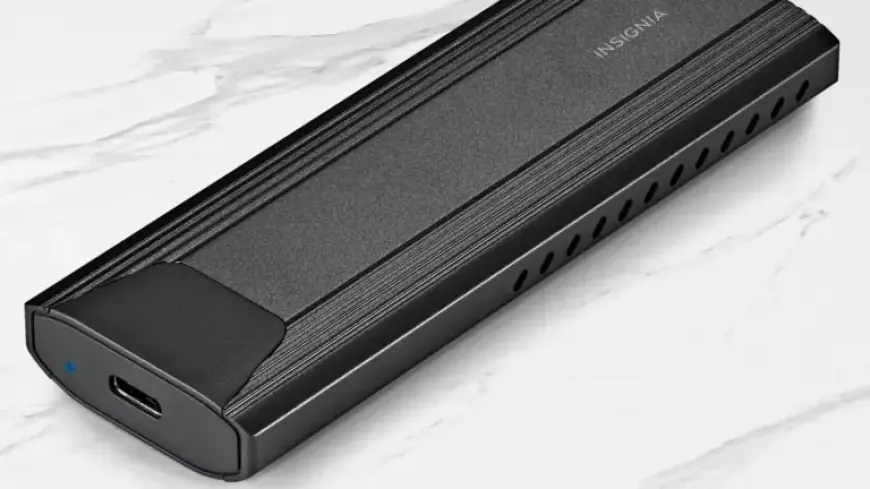
One of the simplest ways to repurpose an SSD is by placing it in an external enclosure. For example, the Insignia M.2 NVMe to USB-C SSD enclosure is popular due to its compatibility and performance. Here’s how it works:
- Insert the compatible M.2 NVMe SSD into the enclosure.
- Seal it up and connect it to your computer, laptop, or mobile device via USB-C.
- Enjoy impressive transfer speeds up to 10Gbps, depending on your SSD model.
Multiple brands offer similar products, including Sabrent, Ugreen, and ASUS ROG Strix. Prices for these enclosures vary considerably, ranging from $20 to over $100 based on the brand and specifications.
Benefits of Repurposing Old SSDs
Why dispose of functional SSDs when you can easily convert them into external storage solutions? This process is not only economical but also environmentally friendly. Here are a few advantages:
- Cost-Effective: Buying an enclosure is often cheaper than purchasing a new external drive.
- High Performance: Older NVMe SSDs can deliver faster read and write speeds compared to standard flash drives.
- Increased Storage Capacity: Many SSDs provide larger storage than typical portable drives.
It’s important to remember that standard NVMe drives can’t be directly connected to USB ports. However, using an enclosure provides immediate USB support, allowing for easy file transfers and storage. Experts recommend formatting the SSD before reuse, especially if it previously housed an operating system. This ensures optimal performance and safeguards your data.
Create Your Portable Library
Transforming your old SSD into a portable drive can allow you to create extensive file libraries. For instance, imagine setting up a portable Steam or GOG library that you can access anywhere. With SSD capacities reaching up to 30TB, the possibilities for storing your favorite games and files become virtually limitless.
In conclusion, transforming your old laptop SSDs with an ingenious DIY gadget not only enhances your storage capabilities but also promotes sustainability. By repurposing these drives into external storage solutions, you can save money while enjoying top-notch performance on the go.













