

























Optimize Your Amazon Fire TV Stick: Choose the Right HDMI Port

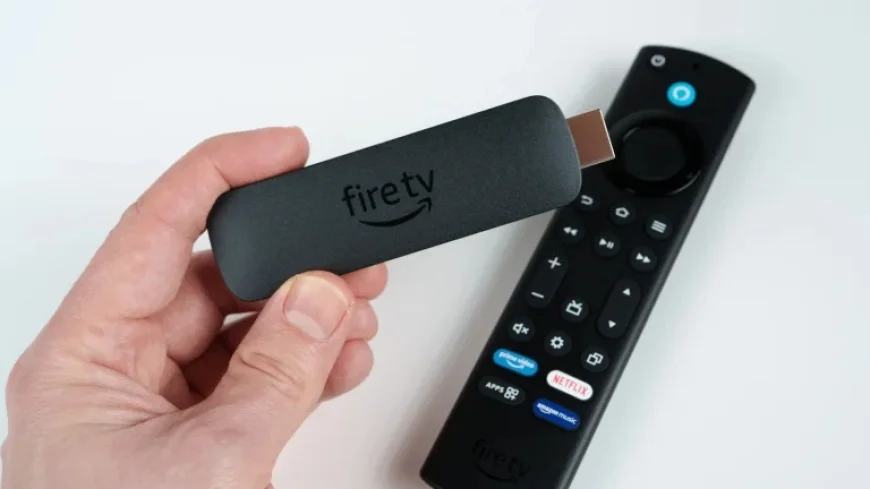
Streaming devices have become essential tools for enhancing non-smart TVs with popular applications like Netflix and Hulu. Among these devices, the Amazon Fire TV Stick stands out with multiple models available, each offering unique features. Understanding how to connect your Fire TV Stick correctly can significantly enhance your viewing experience.
Optimize Your Amazon Fire TV Stick: Choose the Right HDMI Port
The correct HDMI port connection is crucial for obtaining excellent picture and sound quality from your Amazon Fire TV Stick. While prior generations of Fire TV devices did not specifically require a designated HDMI port, advancements in technology have changed that perspective.
The Importance of HDMI 2.1
Introduced in 2017, the HDMI 2.1 standard provides up to 48 Gbps of bandwidth, accommodating resolutions up to 4K at 120Hz. Devices such as the Amazon Fire TV Stick 4K Plus and Fire TV Cube support this standard, ensuring optimal performance. Although these devices do not output native 120Hz video, HDMI 2.1 brings significant enhancements:
- Dynamic HDR for improved color and brightness.
- Quick Media Switching, which reduces input switching time.
For the best experience, connecting your Fire TV Stick to an HDMI 2.1 port on your television is recommended. This connection harnesses the full capabilities of HDR for vivid and colorful movies and shows.
Choosing the Correct HDMI Port for Audio
Audio systems also play a vital role in enhancing the entertainment experience. If your setup supports Dolby Atmos or 5.1 surround sound, follow these guidelines for optimal audio:
- Connect your Fire TV Stick to an HDMI input on your sound system, if available.
- If connecting to your TV, prioritize HDMI 2.1 ports for video quality.
Avoid using the ARC or eARC ports for your Fire TV Stick, as these ports are designed for sending audio back to the soundbar or speaker system and can disrupt the audio routing.
Common Issues with Other Streaming Devices
The advice regarding HDMI connections is applicable to a variety of streaming devices. For instance, if you own a Roku Ultra and it fails to output Dolby Atmos, an incorrect HDMI port connection may be the cause. Always ensure your devices are properly connected to achieve the best audio-visual experience.
In summary, optimizing your Amazon Fire TV Stick involves selecting the right HDMI port on your TV or audio system. By doing so, you can unlock the full potential of your streaming device, enhancing your overall entertainment experience at home.














