






















Microsoft Begins Removing Copilot Buttons from Windows 11 Applications

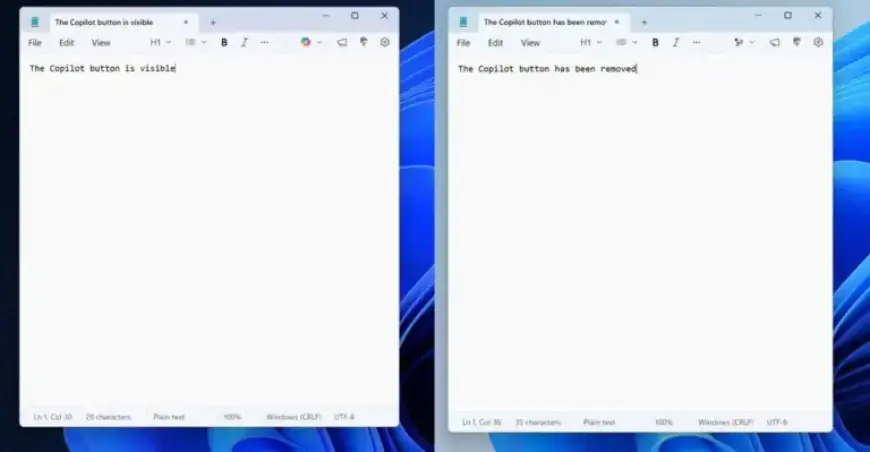
Microsoft has initiated the removal of “unnecessary” Copilot buttons from its Windows 11 applications. This update particularly affects the latest version of the Notepad app for Windows Insiders.
Changes to Windows 11 Applications
In Notepad, the Copilot button has been replaced by a new “writing tools” menu. Similar adjustments have been made to the Snipping Tool, where the Copilot button is now absent when selecting an area to capture.
Purpose of the Changes
This initiative is part of Microsoft’s strategy to streamline user experience by reducing unnecessary entry points related to Copilot. The focus is on applications such as Snipping Tool, Photos, Widgets, and Notepad.
AI Features Remain
Despite the removal of Copilot buttons, the underlying AI functionalities will remain integrated within these applications. For instance, although the Copilot button has been eliminated from Notepad, the new writing tools menu still employs AI-powered options similar to those previously available.
User Perspective
While some users may view these AI features as superfluous in a lightweight text application, the decision to drop the Copilot branding is seen as a positive step. Microsoft aims to create a more efficient and streamlined experience for all Windows 11 users.