





















Master Galaxy S26 Ultra Camera: Optimal Photo Setup Guide

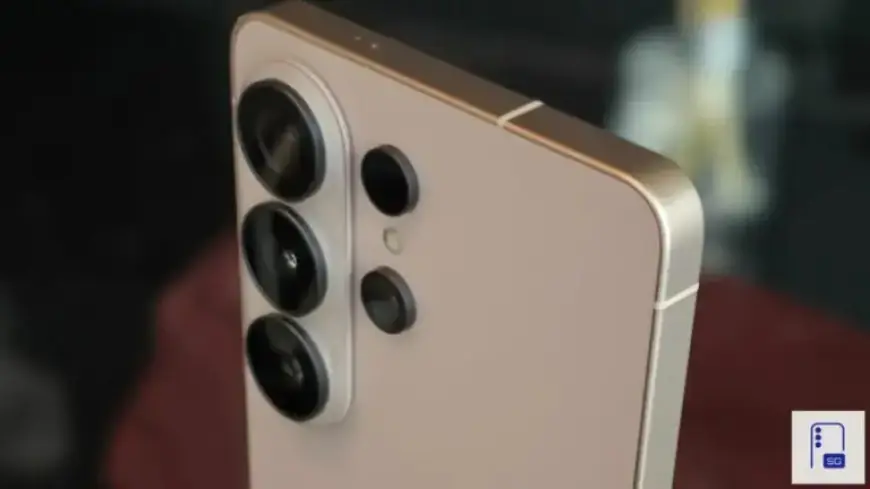
The Galaxy S26 Ultra boasts one of the most sophisticated camera systems crafted by Samsung. This device provides users with control over various parameters such as resolution, focus behavior, and scene optimization. However, this flexibility can make the setup complicated, particularly for those who prefer straightforward Auto mode performance. Some essential controls are even located outside the main camera settings, necessitating the installation of the Camera Assistant app to fully reveal and understand the system’s capabilities.
Optimal Photo Setup Guide for the Galaxy S26 Ultra Camera
Setting up the Galaxy S26 Ultra for optimal photography can drastically improve your results. Follow these guidelines to maximize your camera’s potential.
Starting with Stock Camera Settings
- Disable Auto Flash: Keep this feature off to enable the Night mode indicator, ensuring better low-light performance.
- Prioritize Photo Quality: Set the Photo Enhancer to prioritize quality to utilize the refined 24MP capabilities effectively.
- Enable Scene Detection: This feature enhances color accuracy, exposure stabilization, and subject recognition.
- Switch Image Format: Opt for 10-bit HEIF for improved color depth, which is more effective in challenging lighting conditions.
- Enable Tracking Autofocus: This ensures consistent focus on moving subjects.
Advanced Control with Camera Assistant
To harness the true power of the camera system, Camera Assistant is essential. This app contains critical controls that optimize performance.
- Set 24MP as Default: Establish this resolution to maximize output quality.
- Adjust Photo Softening: Set this feature to Medium or High to achieve cleaner and more natural images.
- Create Zoom Shortcuts: Adding 2x and 10x zoom shortcuts enhances user convenience.
- Disable Auto Lens Switching: This prevents unexpected shifts between camera sensors, especially in challenging lighting.
- Focus Prioritization: Adjust the settings to prioritize focus rather than speed, ensuring reliable subject capture.
Shooting Efficiently with the Configured Setup
Once you have made the necessary adjustments, using the camera becomes simpler. Understanding the 24MP lossless zones is crucial.
- Ultra-Wide Lens: Optimal performance extends up to 0.9x.
- Main Camera: Covers optimal performance up to 1.9x.
- 5x Telephoto: Maintains effectiveness up to 9.9x, where detail remains sharp.
- 3x Lens: Best used in its native optical range; select 12MP for digital zoom scenarios.
Conclusion: Unlocking the Galaxy S26 Ultra’s Potential
The Galaxy S26 Ultra stands out with its advanced capabilities. Users have access to sophisticated processing features, but using them effectively requires a clear understanding of the setup. By following the guidelines in this optimal photo setup guide, you can ensure you are using your Galaxy S26 Ultra camera to its fullest potential for stunning photography.