

























Essential Apps Help You Create Vibe Widgets

Artificial intelligence is transforming app coding, making it accessible for both developers and casual users. A notable innovation is found in Nothing’s “Essential Apps,” enabling users to create unique homescreen widgets through simple text prompts.
Overview of Essential Apps
Initially revealed in September, Nothing’s Essential Apps represent an early step towards their ambitious “Essential OS.” Currently in beta, access to these apps will roll out gradually via a waitlist system, with a full launch anticipated later this year.
Understanding the Widget Functionality
Despite being termed “apps,” these creations function primarily as homescreen widgets. Users cannot launch full-fledged applications but can design widgets that provide specific functions and information. Each widget operates independently, offering updates in real time while remaining visible.
Using the Playground
The “Playground” feature allows users to experiment with ideas powered by AI. Users describe the functionality they need, and the AI crafts a corresponding widget. For example, a prompt can generate a weather and calendar widget that suggests optimal running times.
Creating Personalized Widgets
Essential Apps aim to enhance your homescreen experience. Instead of navigating through multiple apps, personalized widgets present essential information at a glance, tailored to your lifestyle needs.
User Experiences
- One user attempted to create a widget to monitor ground conditions for outdoor activities.
- The AI generated useful suggestions but required adjustments for size and temperature formats.
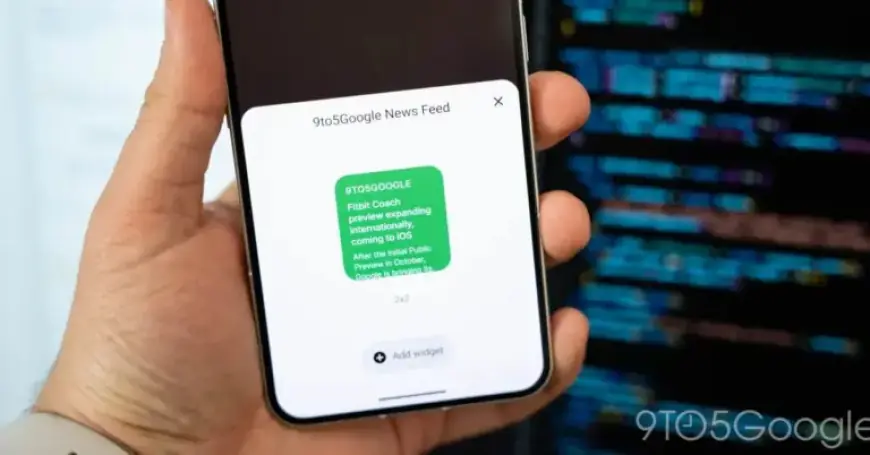
- Another user faced challenges in creating a widget for news articles, due to size limitations imposed by the Playground.
Addressing Challenges
Users in the beta phase may notice several rough edges, including UI inconsistencies between the web app and the homescreen. Despite these challenges, some widgets showcase a surprising level of refinement.
The Future of Essential Apps
While users have yet to experience the full potential of these apps, the initial offering is promising. Users with a Nothing Phone (3) can sign up for the beta version of Essential Apps. More devices will soon follow suit as Nothing continues to develop its vision for the future of smartphones.
In summary, Essential Apps represent a significant step in customizing mobile interfaces, allowing individuals to create widgets that serve their specific needs. As development continues, it remains to be seen how these tools will evolve.